The Silent Threat: What Happens When Your Security Fails?
Imagine waking up on a quiet Tuesday morning. You grab your coffee and open your laptop to check your website. Instead of your beautiful homepage, you see a blank screen or a message from a hacker.
Your heart sinks. All those months of writing, designing, and building feel like they vanished in a second. I have talked to many site owners who went through this, and the pain is real.
It is not just about the lost data. It is the feeling of being violated. You worked hard to build trust with your readers, and now that trust is at risk.
Hackers do not always target big companies. They often go after small websites because they know the security might be weak. It feels like leaving your front door wide open in a busy city.
You might feel overwhelmed right now. You might think you need to be a coding genius to fix this. But that is not true at all.
I want to help you take back control. You deserve to sleep peacefully knowing your digital home is safe. Let’s look at how we can build a strong shield around your website.
Start with a Strong Foundation: Secure Your Hosting
The first thing we need to talk about is your web hosting. Think of your hosting like the ground your house is built on. If the ground is shaky, the house will fall.
Many people pick the cheapest hosting they can find. While saving money is good, some cheap hosts do not care about security. They crowd thousands of sites on one server.
If one site on that server gets a virus, yours might get it too. This is why you should look for a host that offers server-side firewalls.
A good host will also monitor their servers for strange activity. They should offer "SFTP" instead of just "FTP." The "S" stands for secure, and it makes a big difference.
I always suggest checking if your host provides automatic malware scanning. This is like having a security guard who walks around your property every night.
If you are not sure about your host, ask them a question. Ask how they protect you from "DDoS attacks." If they cannot give you a clear answer, it might be time to move.
Lock the Front Door: Smart Password Habits
We have all been guilty of using "password123" at some point. But in today's world, that is like using a toothpick to lock a vault.
Hackers use "Brute Force" attacks. This is a computer program that tries thousands of passwords every second. It will guess a simple password in less than a minute.
You need to use a password manager. These tools create long, random strings of characters that are impossible to guess.
I recommend using a password that is at least 16 characters long. Mix in capital letters, small letters, numbers, and symbols.
But passwords are not enough anymore. You also need Two-Factor Authentication (2FA). This is a game-changer for your security.
With 2FA, even if a hacker knows your password, they cannot get in. They would still need a code from your phone or email. It adds a powerful second layer of protection.
I tell all my friends to turn on 2FA for their website login and their email. It is the single best way to stop unauthorized access.
The Power of the Green Padlock: Why SSL Matters
You have probably seen the little padlock icon in your browser's address bar. This comes from an SSL Certificate. SSL stands for Secure Sockets Layer.
Basically, SSL encrypts the data moving between your visitor and your server. This means no one can "listen in" on the conversation.
If you don't have SSL, Google might show a "Not Secure" warning to your visitors. This scares people away and hurts your SEO.
Most good hosting providers now give you a Free SSL certificate (like Let's Encrypt). You just need to turn it on in your hosting panel.
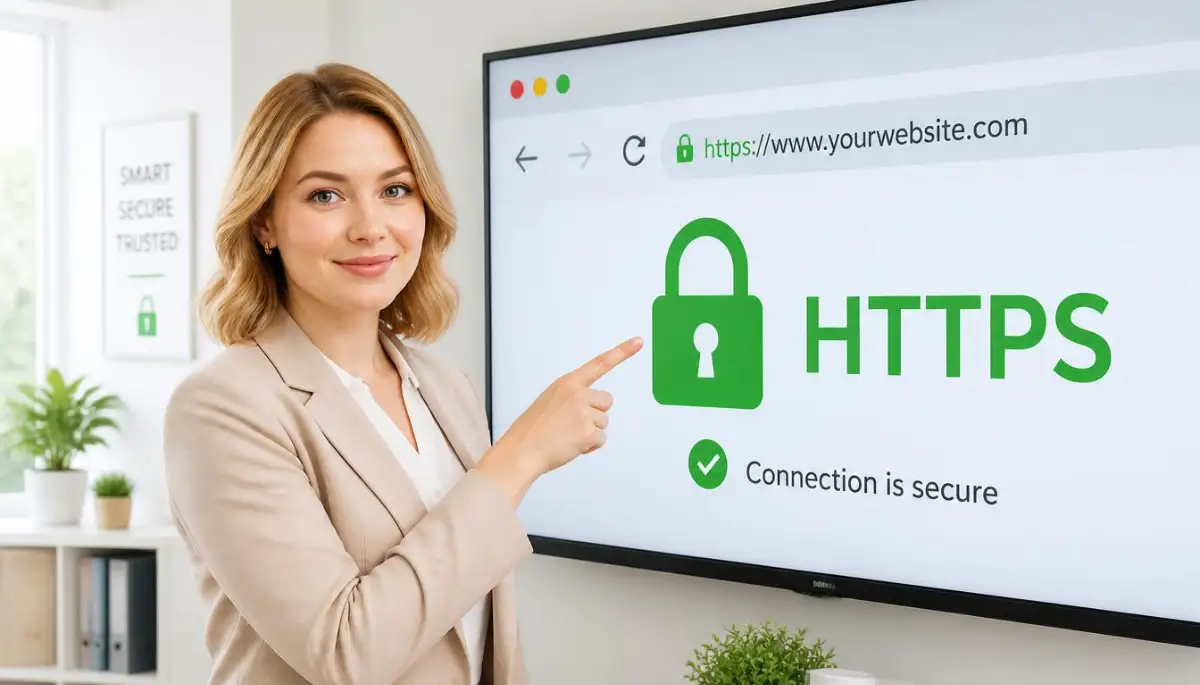
Once you have it, make sure your site uses HTTPS instead of HTTP. This simple change makes your site much more professional and safe.
It also helps you rank better on Google. Google loves safe websites, and they reward you for taking this step.
Keeping Everything Fresh: The Importance of Updates
Think of your website software like a car. If you never change the oil or check the tires, it will eventually break down.
Hackers love old software. When a new update comes out for WordPress or a plugin, it usually includes security patches.
When developers find a "hole" in their code, they release an update to fix it. If you don't update, that hole stays open for hackers to crawl through.
I know it can be scary to click "Update." You might worry that it will break your site design. But leaving it old is a much bigger risk.
You should check for updates at least once a week. Or better yet, turn on automatic updates for minor security releases.
Always delete plugins or themes that you are not using. Even if they are turned off, they can still have security risks. Keep your site lean and clean.
Building a Safety Net: Regular Website Backups
What would you do if your website disappeared right now? If you have a recent backup, you wouldn't panic. You would just hit "restore."
A backup is a complete copy of your website files and your database. It is your ultimate insurance policy.
Do not rely on your host to do this for you. Sometimes their backups fail too. You should have your own independent backup system.
I suggest backing up your site daily if you post often. If you only post once a week, then a weekly backup is fine.
Store your backups in a different place, like Google Drive or Dropbox. Never keep them on the same server as your website.
If a hacker gets into your server and deletes everything, you want your backup to be safe somewhere else. It is your way of saying "you can't beat me."
Watching the Gates: Using a Web Application Firewall
A Web Application Firewall (WAF) is like a smart filter for your website traffic. It looks at everyone trying to visit your site.
If it sees a known hacker or a bot trying to do something bad, it blocks them instantly. They don't even get to see your login page.
There are many great tools for this, like Cloudflare or Wordfence. They provide a massive wall between your site and the bad guys.
A WAF can also stop "Spam Comments." We all hate those annoying comments about fake products. A firewall stops them before they land.
It also speeds up your website by blocking "bad bots" that eat up your server resources. It is a win-win for security and performance.
I believe every website, no matter how small, should have some form of a firewall. It is one of the best ways to stay ahead of threats.
Managing User Roles: Who Has the Keys?
If you have a team helping you with your website, be careful. Not everyone needs "Administrator" access.
An Administrator can change everything, including deleting the whole site. Only you should have this level of power.
Give your writers "Author" or "Editor" roles. These roles allow them to write and edit posts but not change security settings.
If one of your team members has their account hacked, the damage will be limited. They won't be able to take over the whole site.
Also, remember to remove users who no longer work with you. Leaving old accounts active is a common security mistake.
Periodically review your user list. If you see an account you don't recognize, delete it immediately. It could be a sign of a hidden attack.
Securing the "wp-config.php" File
For those using WordPress, there is a very important file called wp-config.php. It contains your database login details.
If a hacker gets this file, they own your database. They can steal user emails or delete all your content.
You can move this file or change its permissions so it is harder to find. This is a slightly more technical step, but it is worth it.
You can also add "Security Keys" to this file. These are random strings that make your site's cookies much harder to crack.
Most security plugins can help you do this with one click. It is a simple way to hide your most sensitive information from prying eyes.
Hiding Your Login Page
By default, most people know where to find your login page. Hackers use this knowledge to run their automated attacks.
You can change your login URL to something unique. Instead of "/wp-admin," you could use something like "/my-secret-entry."
This doesn't make you invisible, but it makes it much harder for bots to find you. It’s like hiding your front door behind a secret bush.
If the bots can't find the door, they can't try to pick the lock. This reduces the load on your server and keeps things quiet.
It only takes a minute to set up using a security plugin. Just make sure you remember the new link yourself!
The Danger of "Nulled" Themes and Plugins
We all like free things. But "Nulled" themes (paid themes offered for free on shady sites) are a huge trap.
These files almost always contain malicious code. Hackers give them away for free so they can get a "backdoor" into your site.
Once you install a nulled plugin, the hacker can do whatever they want. They might show ads on your site or steal your visitors' data.
It is always better to use a free theme from the official directory than a "pro" theme from a random site.
Your security is worth much more than the price of a theme. Stick to trusted sources and keep your site clean.
Monitoring Your Site Activity
How do you know if someone is trying to hack you right now? You need to audit your logs.
Security plugins can send you an email alert if someone fails to log in too many times. This lets you know if you are under attack.
It also tracks changes to your files. If a file changes and you didn't do it, you know something is wrong.
Monitoring is about being proactive. You want to catch the problem while it is small, before it becomes a disaster.
Check your security dashboard once a week. See who was blocked and why. It gives you a good idea of the threats you face.
Knowledge is power. The more you know about what is happening on your site, the better you can protect it.
Why You Should Disable File Editing
Inside many website dashboards, there is a built-in file editor. This allows you to change your code directly.
While this sounds handy, it is also a huge risk. If a hacker gets even limited access, they can use this editor to ruin your site.
I recommend disabling the file editor entirely. You can do this by adding one simple line of code to your config file.
If you need to change your code, use a secure connection like SFTP. This is much safer and prevents accidental mistakes.
It is all about closing every possible window that a hacker might use to climb inside. Small steps lead to big safety.
Using a Security Header
This sounds a bit technical, but it is actually quite simple. Security headers tell the browser how to behave when someone visits your site.
They can prevent things like "Click jacking" or "Cross-Site Scripting." These are common ways hackers try to steal info.
You can add these headers through your hosting or a plugin. They act like a set of rules for anyone entering your site.
It's like having a sign at the door that says "No masks allowed" or "Empty your pockets." It sets the standard for safety.
Most modern browsers follow these rules, making your site much safer for everyone who visits.
Trusting Your Gut and Staying Alert
Security is not a one-time job. It is a continuous process. The online world changes every day, and new threats appear.
If something feels wrong, like your site getting slow suddenly, look into it. Don't ignore the warning signs.
The steps we talked about today are your first line of defense. They build a strong wall around your hard work.
You have the power to protect your digital space. By taking these actions, you are choosing to be a responsible and smart site owner.
Your readers will thank you for it. Your future self will thank you for the lack of stress. Let's keep the internet a safer place, one site at a time.
Moving Beyond the Basics: Deep Security Hardening
One of the best things you can do is change your database prefix. By default, many platforms use a standard name for their tables, like "wp_".
Hackers know this default name, which makes it much easier for them to run "SQL Injection" attacks. If you change this to something random, like "site77_", you instantly make their job much harder.
It is like moving your safe from the living room to a hidden room behind a bookshelf. They might know you have a safe, but they can't find it easily.
I also suggest you look into disabling XML-RPC. This is a feature that allows different apps to talk to your website.
While it sounds useful, it is often used by hackers to try thousands of passwords at once. Unless you are using a specific mobile app to manage your site, you probably don't need it.
Turn it off, and you close a very common side door that many people leave wide open. It is a simple step that provides a massive boost to your overall safety.
Strengthening Your Site’s Internal Health
Think of your website like a human body. Just as why your gut bacteria holds the secret to a stronger immune system, your site needs a strong internal environment to stay healthy.
You can do this by using HTTP Security Headers. These are small bits of code that tell a visitor's browser exactly how to behave.
For example, a header called "HSTS" tells the browser to only talk to your site using a secure connection. Another one called "X-Frame-Options" prevents hackers from putting your site inside an invisible frame to steal clicks.
You can check how well your headers are doing by using tools like the Mozilla Observatory. It gives you a grade from A to F based on your security settings.
Don't worry if you get a low grade at first. Most people do. The goal is to learn and improve your defenses over time.
Controlling Access with IP Whitelisting
If you always log in to your website from the same place, you should use IP Whitelisting. This is a very powerful pro-level secret.
You can tell your server to only allow login attempts from your specific internet address. If a hacker in another country tries to log in, the server will block them instantly, even if they have your password.
It is like telling a security guard, "Only let me in, and no one else, no matter what they say." This makes it almost impossible for outsiders to get into your dashboard.
If you travel a lot, this might be tricky. But for most of us who work from home or a fixed office, it is one of the best shields you can use.
I always feel much safer knowing that my login page is basically invisible to the rest of the world. It takes away a lot of the daily worry.
The Role of Modern Tools in Site Safety
Today, technology is moving very fast. We are seeing how how generative AI is changing the way developers write code, and this applies to security too.
Hackers are now using smart bots that can learn and adapt. This means your security needs to be just as smart.
I suggest using a security plugin that uses real-time threat intelligence. These tools talk to a central "brain" that tracks attacks happening all over the world.
If a new type of attack is spotted on a site in Europe, your site in America gets the update to block it within minutes. This community-based defense is very effective.
It’s like having a neighborhood watch where everyone has a high-tech radio to warn each other about suspicious activity. You are never fighting the battle alone.
Hidden Traps: The Mistakes That Invite Trouble
Even with the best tools, we can still make mistakes that leave us open to danger. One of the biggest errors is ignoring old subdomains.
You might have created a "test" site years ago and forgotten about it. These old sites often have outdated software and no security.
Hackers find these "ghost" sites and use them as a bridge to get into your main server. If you aren't using a site, delete it completely.
Another big mistake is trusting public Wi-Fi. Never log in to your website dashboard while you are at a coffee shop or an airport.
Hackers can "sniff" the data moving through the air and grab your login details. If you must work in public, always use a VPN (Virtual Private Network).
A VPN creates a private tunnel for your data, making it impossible for anyone nearby to see what you are doing. It is a small habit that saves you from big headaches.
The Danger of "Too Many Cooks"
I have seen many people give "Admin" access to every person who helps them with their site. This is a recipe for disaster.
Every person with a password is a potential weak spot. If their computer gets a virus, your site is at risk.
Use the rule of "Least Privilege." This means you only give people the exact amount of access they need to do their job and nothing more.
An editor only needs to edit. A designer only needs access to the theme files. Nobody needs the master keys unless they are actually the owner.
Also, make sure your team uses strong passwords too. One weak link can break the entire chain of security you have built so carefully.
Forgetting to Test Your Safety Net
Having a backup is great, but not testing your backup is a huge risk. I have heard heartbreaking stories of people who tried to restore their site only to find the backup file was empty.
Once a month, you should try to "restore" your site to a private test area. This makes sure that your files are actually working.
It is like having a fire extinguisher. You don't want to find out it is empty while the kitchen is on fire.
If your website is your business, this test is a must. It gives you the confidence to know that no matter what happens, you can be back online in minutes.
Recovering from a hack is hard work. It is very similar to how people have to rebuild your credit score after a major financial disaster. It takes time, patience, and a good plan to get back to where you were.
The Trap of "It Won't Happen to Me"
Many small blog owners think they are too small to be noticed. This is a very dangerous mindset.
Hackers don't always want your content. Sometimes they just want your server power to send spam emails or attack other sites.
To a bot, every website is a prize. They don't care if you have ten visitors or ten million.
By thinking you are safe because you are "small," you stop being careful. That is exactly when a hack usually happens.
Stay alert and stay humble. Treat your small blog with the same security level as a big bank. This mindset will keep you safe for years to come.
Your Path to a Worry-Free Website
Security might seem like a lot of work, but it is really about building good habits. Once you set up these shields, they mostly run on their own.
Start by picking one advanced tip from this list and doing it today. Maybe change your database prefix or set up a firewall.
Don't try to do everything in one hour. Take it step by step. Each small action you take makes your website a harder target for hackers.
Remember, the goal is not to be 100% perfect. No one is. The goal is to be harder to hack than the next person.
Most hackers are looking for easy wins. When they see your site has a firewall, a hidden login, and strong passwords, they will move on to someone else.
You have worked so hard to build your corner of the internet. You deserve to see it grow and thrive without the fear of it being taken away.
Taking Action for Long-Term Peace
The best time to secure your website was the day you started it. The second best time is right now.
You have all the knowledge you need. You know about hosting, passwords, SSL, and advanced hardening.
I want you to feel empowered. You are the guardian of your data and your visitors' trust.
When you take these steps, you aren't just protecting code. You are protecting your dreams, your hard work, and your future.
Stay curious and keep learning. Check your security settings once a month just like you check your bank statement.
I am rooting for you. Your website is a valuable asset, and by following this guide, you are making sure it stays safe, secure, and successful.
![How to Move Your Website to a New Server [Without Fear]](https://topic36.com/storage/uploads/blogs/1787759627_how-to-move-your-website-to-a-new-server-without-fear.webp)
![How to Secure Your Website and Stop Hackers [The Ultimate Blueprint]](https://topic36.com/storage/uploads/blogs/1787043730_how-to-secure-your-website-and-stop-hackers-the-ultimate-blueprint.webp)