
The Heartbreak of Losing Reader Trust Overnight
I will never forget the day I launched my very first dream blog. I poured my heart and soul into writing beautiful content, designing the perfect logo, and sharing my ideas with the world. I expected visitors to flood in, read my stories, and leave wonderful comments.
Instead, I was greeted with a massive, terrifying red warning screen from my browser that screamed "Not Secure." My heart instantly sank into my stomach. I asked a few friends to check out my new site, and they all reported the exact same scary message.
They actually thought my website was infected with a dangerous virus. Nobody wanted to click past that terrifying warning, and honestly, I could not blame them. I felt totally embarrassed, defeated, and ready to give up on my dream right then and there.
This is a painful reality that thousands of regular people face every single day when trying to build an online presence. You work incredibly hard to create something meaningful, only to be blocked by an invisible barrier of digital mistrust.
Average folks are losing sleep because their visitors are bouncing off their websites in pure panic. Imagine setting up a beautiful online space to share your passion, but your readers feel completely unsafe even looking at your homepage.
It completely destroys your peace of mind and shatters the confidence you need to succeed online. People are terrified of having their personal information stolen, and without the right security measures, your website looks like a dark, dangerous alleyway to them.
The Invisible Shield Protecting Your Visitors
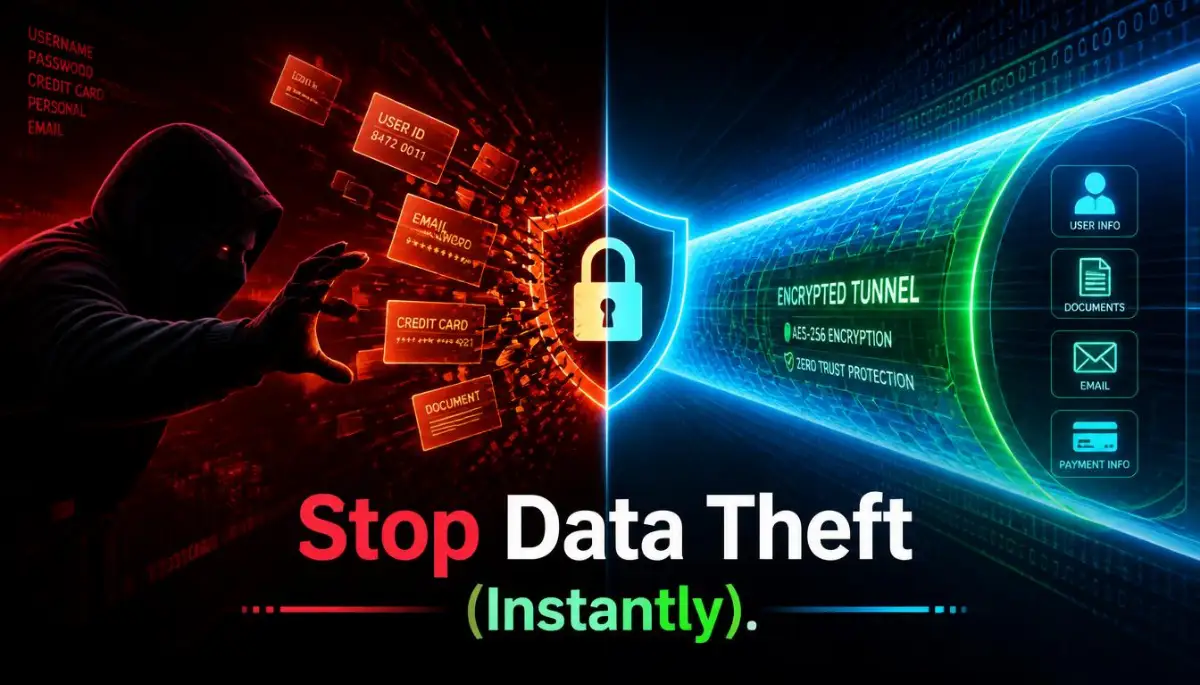
So, how do we fix this massive trust issue? The answer lies in a simple, yet incredibly powerful tool known as an SSL certificate. Think of it as a protective bubble wrapped tightly around your website.
Whenever someone visits your blog or online store, their browser and your hosting server start talking to each other. Without protection, this conversation is completely out in the open for anyone to intercept.
Imagine writing your most private secrets on a simple postcard and handing it to a stranger to deliver. Anyone along the delivery route can read your secrets, copy them, or even change the words before the postcard reaches its destination.
That is exactly what happens when your website operates on standard HTTP. Hackers can easily spy on the data traveling back and forth, putting your readers at high risk.
An SSL certificate changes everything by creating a highly secure, heavily encrypted tunnel between the user and your server. Suddenly, that exposed postcard becomes a locked, fireproof safe that only the final recipient has the key to open.
When you install this invisible shield, all data turns into a random string of mixed-up characters. Even if a cyber thief manages to grab the data during transit, they will only see useless gibberish instead of real information.
Watch Exactly How This Encryption Works in Real-Time:
If you want to see a visual breakdown of how this digital handshake keeps unwanted eyes away from your data, check out this brilliant explanation.
Understanding the Psychology of the Padlock
Have you ever noticed how your own behavior changes when you see a security warning? Humans are highly visual creatures, and we rely on simple symbols to make quick decisions about safety.
When a visitor lands on your website and sees a tiny, reassuring padlock icon next to your web address, their brain immediately relaxes. It is a universal sign that says, "You are safe here, and we respect your privacy."
On the flip side, when modern web browsers display the words "Not Secure" in bright red letters, it triggers an instant psychological alarm. People will instinctively hit the back button before they even read a single word of your amazing content.
You could have the most helpful, beautifully written articles in the world. However, if that red warning is flashing, your credibility drops to absolute zero in a matter of seconds.
Why Search Engines Demand Complete Security
We all want our websites to show up on the first page of search results. Search engines have one main job: to provide their users with the best and safest possible experience.
If a search engine sends a user to an unprotected website where their data gets stolen, the search engine looks bad. Because of this, they heavily favor websites that actively protect their audience.
Having a secure, encrypted connection is actually a confirmed ranking factor. If you and a competitor write the exact same quality of content, the website with the active padlock will almost always rank higher.
This means that ignoring your website security is directly harming your chances of getting free, organic traffic. You are essentially leaving your front door wide open and wondering why nobody wants to visit your house.
The Real-Life Impact of Ignoring Encryption
Let us look at a practical scenario to truly understand the risk. Imagine a reader named Sarah who loves visiting hobby blogs and signing up for newsletters.
Sarah lands on your new, unprotected blog and decides to subscribe by typing in her name and email address. Because there is no encrypted tunnel, a hacker sitting on the same public Wi-Fi network at her local coffee shop easily intercepts her details.
Now, Sarah starts receiving tons of spam emails, and she traces the breach back to your unprotected site. She will never visit your platform again, and she will likely warn all her friends to stay away from you, too.
This single event completely ruins the reputation you worked so hard to build. Building trust takes an incredibly long time, but losing it takes only a fraction of a second.
My Personal Mistake and Realization:
I honestly thought that just buying the certificate was enough to fix everything. When I first installed my SSL, I completely forgot to force all my old links to use the secure "HTTPS" format. I spent weeks wondering why the red warning was still showing up on certain pages before I finally fixed my mixed content issues.
Debunking Common Security Myths
There is a lot of confusing information floating around the internet regarding website safety. Many beginners fall for completely false assumptions that end up hurting their digital growth. Let us clear up some of the most common misunderstandings right now.
Myth 1: "I only need encryption if I sell products."
This is totally false. Even if you only run a simple personal blog with a basic contact form, you are still collecting data. Browsers do not care if you sell things; they will flag any unprotected site as dangerous.
Myth 2: "Hackers do not care about my small blog."
You might think you are flying under the radar, but cyber attacks are highly automated. Bots constantly scan the entire internet looking for any open, vulnerable site to exploit, regardless of your audience size.
Myth 3: "Getting protected is too complicated and expensive."
Years ago, this might have been true, but today, the internet has changed drastically. Most reputable hosting providers now offer basic security shields completely for free, and turning them on usually takes just one simple click.
A Quick Comparison: The Old Way vs The Secure Way
To make things extremely clear, I have created a simple breakdown of how the old method compares to the new, secure standard.
Taking Control of Your Digital Reputation
Now that you fully grasp exactly why this invisible shield is so incredibly necessary, it is time to take action. You can no longer afford to leave your digital property completely unprotected.
Start by visiting your own website exactly like a brand new reader would. Look up at the address bar right now and see what message your browser is giving you.
If you see the secure padlock, you can breathe a huge sigh of relief. If you see anything else, you need to make fixing this your absolute top priority today.
Rebuilding trust with an audience who previously felt unsafe is a massive uphill battle. It is so much easier to simply protect them from the very first moment they discover your brand.
You owe it to yourself, and you owe it to your readers, to provide a safe, welcoming environment. When you remove the fear of data theft, you allow your actual content to shine brightly and do its job.
Focusing on these strong foundational security steps will set you apart from thousands of lazy website owners. You will confidently attract more visitors, retain their attention longer, and slowly build an audience that respects your professionalism.
Taking Your Security Strategy to the Next Level
You already know exactly why an active encryption shield is necessary for survival in the online space. Now, we need to talk about how you can maintain this high level of safety without pulling your hair out.
Setting up your digital protection is only the very first step of your journey. Many website owners set things up once and completely forget about them, which often leads to massive technical headaches later down the road.
If you want to keep your audience feeling completely safe, you have to treat your website like a living, breathing entity. This means performing regular checkups and turning on advanced features that work quietly in the background.
Think of this process like maintaining your physical health. You do not just eat one healthy meal and expect to stay fit forever; it requires consistent, smart habits over a long period.
Similarly, building website trust is exactly like how to improve a low credit score before applying for a home loan. It takes patience, consistency, and a solid strategy to prove your long-term reliability to major search engines.
Automating Your Digital Armor
One of the smartest things you can do right now is to turn on automatic renewals for your encryption services. Manual renewals are incredibly risky because human beings naturally forget things.
Most modern hosting platforms use incredible non-profit authorities, such as the Internet Security Research Group's Let's Encrypt initiative, to provide free automated certificates. These systems run small background scripts that check your expiration date and renew the shield automatically before it breaks.
If your host does not turn this on by default, you need to reach out to their support team immediately. Ask them to enable auto-renewal so you never have to worry about waking up to a terrifying red warning screen.
Much like figuring out how to create a realistic monthly budget and crush your debt, setting up your automated website infrastructure requires a bit of upfront planning. However, once the system is actively running, it saves you countless hours of stress and frustration.
The Silent Threat of Mixed Content
Even if you have your green padlock showing, you might still be secretly putting your visitors at risk. This happens through a very frustrating technical issue known as "mixed content."
Mixed content occurs when your main website page loads securely, but specific items inside that page load through an old, unprotected connection. This usually happens with old images, background scripts, or embedded videos.
Imagine building a massive, highly fortified castle to protect your family from invaders. However, you accidentally leave a tiny backdoor wide open for anyone to walk right through.
That is exactly what mixed content does to your website. Hackers can use those unprotected images or scripts to sneak into your system and steal data right from under your nose.
To fix this, you need to force every single asset on your website to use the secure protocol. Most modern platforms have free plugins or simple settings that instantly rewrite all your old links to the correct, protected format.
Forcing the Secure Tunnel with HSTS
If you truly want to lock your website down like a professional, you need to learn about a feature called HTTP Strict Transport Security (HSTS). This sounds like complicated technical jargon, but the concept is beautifully simple.
Sometimes, a reader might manually type your old, unprotected web address into their browser out of habit. Without HSTS, the browser might actually try to load the unsafe version of your site for a split second before redirecting them.
During that tiny fraction of a second, an attacker can jump in and hijack the connection. HSTS acts like a strict traffic cop standing directly at the entrance of your digital property.
It tells every single web browser in the world, "Never, ever try to load the old version of this site, even if the user asks for it." It forces the browser to only use the encrypted tunnel, completely eliminating that split-second vulnerability.
You can typically enable HSTS right from your hosting dashboard or through your content delivery network settings. Taking this extra step heavily aligns with official federal web security directives regarding safe data transit.
Performing Regular Health Inspections
You should never blindly trust that your security systems are working perfectly. Technology breaks constantly, and you need to be the first person to know when something goes wrong with your digital property.
I highly recommend using advanced scanning tools to grade your website's security setup. Tools like the Mozilla Observatory will scan your domain for free and give you a detailed report card on your current encryption strength.
These testing tools will show you exactly where your weaknesses are hiding. They act as a brilliant educational guide, explaining how to patch up small holes before they become massive security breaches.
Just as you would carefully compare fixed vs variable personal loans to find the safest financial path, you must actively test and choose the strongest encryption standards for your domain. Ignorance is simply not an option when you are handling other people's data.
The Security Traps That Will Destroy Your Traffic
We have covered the exact steps you need to take to build an unbreakable digital fortress. Now, we must talk about the incredibly painful mistakes that beginners make when they try to handle their own website safety.
I have watched so many hard-working people completely ruin their online businesses simply because they ignored basic warning signs. Let us walk through these dangerous pitfalls so you can protect your hard-earned traffic.
The Weekend Expiration Disaster
Imagine launching a massive promotional campaign on a Friday afternoon. You spend money on ads, you share your articles all over social media, and you finally start seeing thousands of people clicking on your links.
Then, right in the middle of Saturday night, your digital certificate officially expires. Because you forgot to turn on auto-renewal, every single person who clicks your link gets slapped with a terrifying privacy error.
Your entire weekend traffic drops to zero, your advertising money burns into thin air, and your brand reputation takes a massive hit. This is not a hypothetical story; this specific nightmare happens to hundreds of unprepared website owners every single week.
If a major data breach or traffic drop happens, the emotional stress can be just as overwhelming as trying to figure out how to manage your personal finances after losing a job. Always set your systems to renew themselves at least thirty days before the actual expiration date.
The "Just a Small Blog" Delusion
One of the most dangerous things you can ever say is, "Nobody wants to hack me because my website is too small." Cyber criminals do not sit at their computers manually picking out targets to attack.
They use completely automated software bots that scan millions of websites every single minute. These bots are actively searching for any unprotected form, login page, or open connection they can exploit.
Even if you only have a simple contact form, hackers can use it to inject harmful software into your server. They will turn your lovely little blog into a spam-sending machine without you even noticing.
You do not want to take unnecessary risks with your digital assets. This is exactly like the truth about unsecured borrowing—acting without proper protection always leads to trouble.
Ignoring the Search Engine Penalties
Some people stubbornly refuse to upgrade their infrastructure because they think the old ways are still perfectly fine. They ignore the warnings and continue running their platforms on an exposed connection.
What they fail to realize is that major search algorithms actively punish unprotected domains. Google has made it very clear in their official search documentation regarding secure connections that encryption is a direct ranking tiebreaker.
Your overall digital health is heavily judged by search engines, similar to how a debt-to-income ratio affects your mortgage approval chances. If your site lacks basic trust signals, search engines will completely stop recommending your content to new readers.
You will slowly watch your daily visitors disappear, and you will fall further and further down the search results pages. Fixing this massive mistake after the damage is done takes months of grueling recovery work.
Falling for Overpriced Scams
While we definitely want top-tier protection, you need to be very careful about where you purchase your security tools. Many predatory companies prey on beginners by selling them basic encryption shields for absurdly high prices.
They will try to convince you that their expensive "premium" padlock will somehow make your website load faster or rank higher than a standard certificate. This is completely misleading and highly manipulative.
For 95% of standard websites, blogs, and simple online stores, the free automated certificates provided by reputable hosting companies are perfectly fine. They offer the exact same level of 256-bit encryption as the expensive options.
Only massive enterprise corporations or huge banks truly need to spend thousands of dollars on custom validation certificates. Keep your money in your pocket and stick to the highly trusted, automated free options available directly through your host.
Your Roadmap to Unshakable Online Trust
We have traveled through a lot of complex technical territory today, but the core message remains incredibly simple. Protecting your website visitors is no longer an optional luxury; it is the absolute bare minimum requirement for succeeding on the internet.
When you take the time to properly encrypt your digital property, you are sending a powerful message of respect to your audience. You are telling them that you value their privacy and you take their safety very seriously.
This simple act of turning on a green padlock completely transforms how people interact with your brand. They will stay on your pages longer, they will gladly subscribe to your newsletters, and they will trust your recommendations.
Stop letting technical fears hold you back from achieving your online dreams. Log into your hosting dashboard today, find your security settings, and make sure that beautiful shield is actively protecting your hard work.
I completely understand how overwhelming all this technical stuff can feel at first. Just remember, taking one small step today to secure your digital home will bring you massive peace of mind tomorrow, and your audience will love you for it.
Common Questions About Website Protection
Do I really need to pay a monthly fee for this security feature?
Absolutely not. The vast majority of modern, high-quality hosting providers include excellent encryption completely free of charge. If your current host is trying to force you to pay a large monthly fee for a basic padlock, it is probably time to look for a better hosting company.
Will moving to a secure connection instantly break my old links?
It can cause temporary issues if you do not set up proper redirects. You need to ensure that anyone who clicks an old "HTTP" link is automatically pushed to the new, safe "HTTPS" version of your site. Most website building platforms have simple, one-click tools that handle this redirection process smoothly for you.
How quickly does the green padlock show up after I turn it on?
In most modern systems, the activation happens incredibly fast. You will usually see the secure icon appear in your browser within ten to fifteen minutes of turning the setting on. However, sometimes you might need to completely clear your browser cache to see the updated changes.
Can hackers still break into my website if I have active encryption?
Having an encrypted tunnel protects the data traveling between your reader and your website, but it does not make you completely invincible. A hacker can still guess a weak admin password or exploit an outdated plugin. You still need to use strong passwords and keep all your website software fully updated to stay totally safe.
Do search engines really care about this specific security measure?
Yes, they care deeply about protecting their users from harm. Major search engines actively use connection security as a baseline ranking signal for all results. Without it, you are fighting a massive uphill battle trying to get any free traffic.
Disclaimer: The information provided in this article is strictly for educational and informational purposes. Website security standards change frequently, and you should always consult with your specific web hosting provider or a professional developer before making major changes to your digital infrastructure. We are not responsible for any technical issues or data loss that may occur while modifying your website settings.
![How to Move Your Website to a New Server [Without Fear]](https://topic36.com/storage/uploads/blogs/1787759627_how-to-move-your-website-to-a-new-server-without-fear.webp)