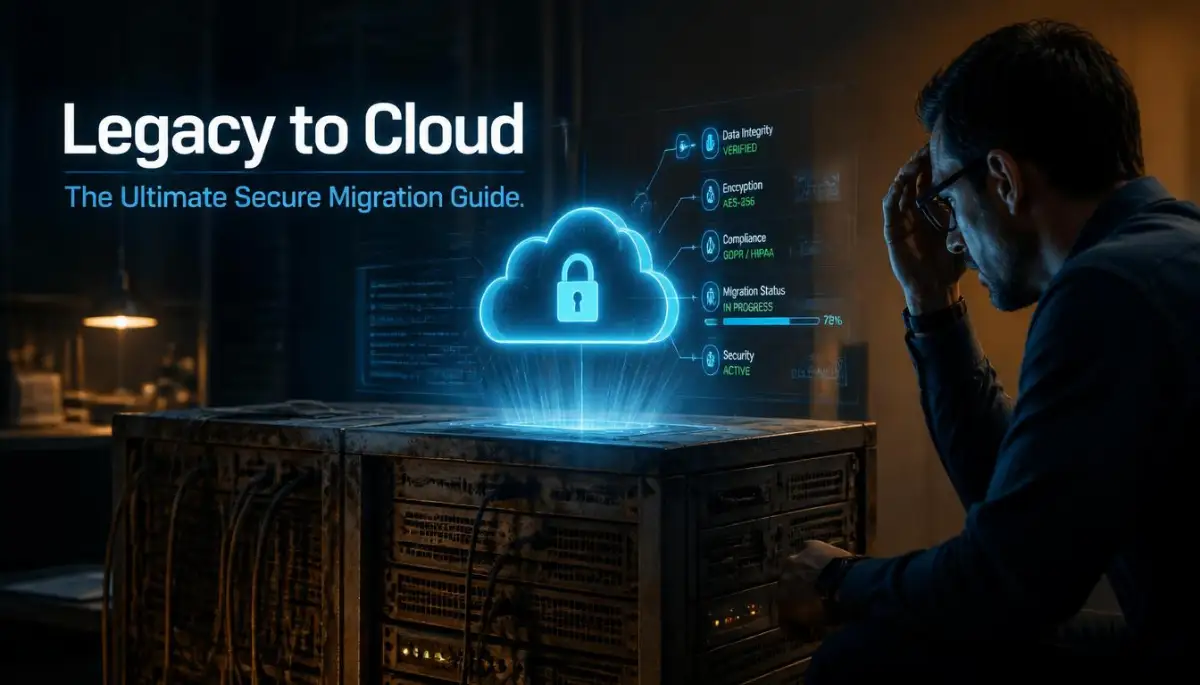
The Hidden Nightmare of Outdated Technology
I still remember the exact moment my stomach completely dropped to the floor. I was staring at a blank, unresponsive black monitor, frantically hitting the refresh button while our main company server decided to shut down.
We were right in the middle of processing a massive batch of client data. My hands were actually shaking as I realized our entire database was locked inside an outdated system that belonged in a museum, not a modern office.
The heat inside that cramped server room was unbearable. I spent the entire weekend sweating, drinking terrible instant coffee, and praying we wouldn't lose years of hard work.
I was terrified to tell my boss that our aging infrastructure had finally given up. This wasn't just a technical glitch; it was a complete failure of our daily operations.
For months, I had been begging management to let me move our files to a safer digital environment. But they always pushed back, saying it was too expensive or too complicated to change things up.
Now, we were paying the ultimate price for holding onto the past.
Every single day, thousands of hard-working business owners and managers wake up to this exact same fear. You probably know exactly what I am talking about.
You sit at your desk wondering if today is the day your old software finally crashes for good. The constant anxiety of potential cyber-attacks on unsupported systems eats away at your mental peace.
It is exhausting to constantly patch up old software just to keep the business running for one more week. Your team is frustrated because the systems are incredibly slow, making simple tasks take hours instead of minutes.
Instead of focusing on growing your business, you are stuck playing a never-ending game of technical whack-a-mole. It feels like you are trapped in a sinking ship with a tiny bucket, desperately trying to throw the water out.
Mapping Out Your Escape Route to Modern Security
You do not have to live with this constant technical anxiety anymore. Moving your old, heavy data into a highly protected digital space is entirely possible if you have the right game plan.
Think of this process like moving out of an old, crumbling house into a brand-new, heavily guarded fortress. You cannot just throw all your belongings into a truck and hope for the best.
You need a clear, organized method to make sure nothing gets broken or stolen along the way. Let us break down the exact strategy you can use to safely transition your business operations.
Taking Honest Inventory of Your Current Mess
Before you even think about buying a new digital setup, you have to know exactly what you are dealing with. Most companies skip this part and end up bringing all their old problems into their new environment.
Imagine trying to move to a new house but refusing to throw away years of accumulated garbage. You would just end up cluttering your beautiful new home with things you never use.
Start by sitting down with your team and mapping out every single piece of software you currently use. Write down what each application does, who uses it, and how much data it holds.
You will likely discover that your team uses programs that no one has updated in a decade. You might also find duplicate software that is secretly draining your monthly budget.
Identify the heavy lifters in your daily operations. These are the core databases and communication tools your business simply cannot survive without for a single day.
By categorizing your data from "essential" to "completely useless," you make the actual moving day significantly lighter. This simple sorting habit saves you thousands of dollars in storage fees later on.
Understanding Your Protection Shield Options
Once you know what you are moving, you need to understand where it is going. Not all digital storage spaces are created equal when it comes to keeping your information safe.
When you look for a new home for your data, you must prioritize heavily encrypted environments. Encryption is simply a digital shredder that scrambles your information so hackers cannot read it, even if they somehow steal it.
You want an environment that offers automatic daily backups. If something goes wrong, you can simply rewind your system to the day before, exactly like a time machine.
Look for providers that enforce strict Access Control Lists. This means you get to decide exactly which employee can open specific files, ensuring your marketing team cannot accidentally delete your accounting records.
The Myth vs. Reality of Data Transfers
The Common Myth: Moving all your company files to a new network will take months and shut down your business completely. You will lose customers because you won't be able to answer emails or process orders.
The Actual Reality: A well-planned transition happens behind the scenes while you continue to work normally. We call this a parallel run, where both the old and new systems run at the same time until the new one is fully tested.
You do not have to suffer through weeks of dark screens and confused employees. Modern tools allow us to sync information quietly in the background over several nights or weekends.
The "Slow and Steady" Phased Approach
The biggest mistake I see companies make is trying to move everything in one single weekend. We call this the "Big Bang" approach, and it almost always ends in tears and lost data.
Instead, you need to use a phased transition method. This means moving one small, low-risk department first to see how the new system handles the pressure.
Why is this important?
Because if something goes wrong, you only have to fix a small issue for a few people. You are not dealing with a company-wide meltdown on a Monday morning.
Start by moving your basic email servers or your archived, older files first. These are easy wins that build confidence within your team.
Once your IT staff feels comfortable managing the new setup, you can slowly begin transferring the heavy, critical customer databases. This step-by-step method significantly reduces the risk of expensive business interruptions.
I learned this the hard way.
A few years ago, I got too confident and decided to wipe an old server before fully testing the new one. I spent three sleepless nights trying to recover lost financial records because I skipped the testing phase. Always, always keep your old machines running until the new ones have been successfully processing real work for at least a month.
Why Your Employees Are the Biggest Security Risk
Here is a hard truth most technical guides completely ignore. You can buy the most expensive, highly rated digital fortress in the world, and it will still fail if your team does not know how to use it.
Human error is the leading cause of security breaches during a major software transition. Your employees are used to doing things the old way, and change is naturally very frustrating for them.
If you make the new security protocols too complicated, your staff will find dangerous shortcuts to get their work done faster. They might start emailing sensitive files to their personal accounts just to avoid the new login screens.
Watch this incredibly helpful breakdown before you proceed:
If you are struggling to explain these technical changes to your staff, you need to watch this short explanation. It perfectly breaks down how to communicate complex IT changes to non-technical employees without causing panic.
To prevent a massive dip in productivity, you must create simple, easy-to-read training manuals. Do not hand them a heavy technical book; give them a one-page cheat sheet for their specific daily tasks.
Host multiple short training sessions where employees can ask questions without feeling stupid. Make sure you clearly explain why this change is happening, focusing on how it will eventually make their jobs much easier.
Establishing the "Zero Trust" Rule
When you finally land in your new, secure digital environment, you have to change how you handle internal trust. In the old days, if someone was logged into the office computer, they could see almost everything on the network.
Today, we use a concept called Zero Trust. This simply means the system does not automatically trust anyone, even if they are the CEO of the company.
Every single time a person tries to open a sensitive folder, the system asks them to prove their identity. This is usually done through a quick text message code sent to their phone.
It might sound slightly annoying at first, but it is incredibly effective. If a hacker somehow steals an employee's password, they still cannot access your files because they do not have the employee's physical phone.
Let's Compare: Your Current Nightmare vs. The Modern Solution
Sometimes, it is hard to visualize exactly what you are gaining from all this hard work. Let us look at a direct comparison of how your daily operations will change.
Looking at this chart, it becomes obvious that staying with your old setup is actually much more dangerous than making the switch. The initial effort required to move is completely outweighed by the massive reduction in daily anxiety.
Cleaning Up The Leftovers Carefully
Once your team is happily working in the new system, you still have one final, highly critical job to do. You must securely destroy the old equipment and the data left on it.
You cannot just throw old computers into the nearest dumpster or sell them online. Hackers regularly buy old corporate hardware just to dig through the hard drives for leftover passwords and client information.
You need to hire a certified electronic recycling company to physically shred your old hard drives. Get a written certificate of destruction for your legal records to prove you handled client data responsibly.
By following this careful, logical sequence, you remove the terrifying guesswork from upgrading your business. You protect your clients, you empower your employees, and you finally get to sleep soundly at night knowing your hard work is safe.
Securing Your Digital Future Like a True Expert
Now that you have successfully moved your sensitive files out of that dusty old server room, the real work actually begins. A lot of business owners think the job is completely finished the moment the data transfer is done.
This is a massive misconception that can cost you a lot of money. You just bought a beautifully constructed, highly protected digital home for your company.
If you do not lock the doors and maintain the alarm systems, someone will eventually wander inside. Let us talk about how you can keep your new environment running perfectly for decades.
Setting Up Invisible Digital Guard Dogs
You cannot manually watch every single file in your network twenty-four hours a day. You have a business to run, customers to serve, and a personal life to enjoy.
This is why setting up automated security alerts is the smartest thing you can do right now. Think of these alerts as invisible guard dogs that silently patrol your digital property while you are sleeping.
If an employee suddenly tries to download ten thousand customer records at 2:00 AM on a Sunday, the system should immediately block them. It should instantly send a text message right to your phone so you can investigate the issue.
You can easily learn more about setting up these standardized safety measures by reviewing the official cloud security business guidelines provided by CISA. They offer an incredibly practical checklist for securing commercial data.
Designing a Workspace Your Team Will Actually Use
Security is completely useless if it makes daily work impossible for your staff. If your employees have to type in five different passwords just to open a simple word document, they will get frustrated.
When people get frustrated, they start finding dangerous loopholes to bypass your strict rules. They might start using unauthorized personal file-sharing apps, which completely ruins your secure setup.
Your goal is to strike a perfect balance between heavy protection and extreme user convenience. Interestingly, this exact same philosophy applies when you are focused on building products that people actually love.
You want the background security to be entirely invisible to the average worker. They should log in once securely in the morning and then go about their day without any annoying interruptions.
Mastering the Art of Automated Cost Control
Here is a brilliant secret that highly experienced IT managers use to save thousands of dollars. When you move to a modern online workspace, you only pay for the exact computing power you actually use.
It is very similar to your home electricity bill. If you leave the lights on in an empty room all day, you are just throwing your hard-earned money out the window.
Many companies accidentally leave their heavy digital test servers running over the weekend when no one is working. You can easily write a simple automated rule that turns off non-essential computing power every Friday evening.
This tiny adjustment alone can easily cut your monthly tech bills by twenty to thirty percent.

Silent Traps That Will Sabotage Your Smooth Transition
I have seen incredibly smart business managers make terrible decisions right at the finish line. They get too comfortable, they stop paying attention, and they walk straight into expensive technical traps.
You need to know exactly what these hidden dangers look like so you can easily sidestep them. Let us break down the absolute worst mistakes you can make after a major software upgrade.
The "Lift and Shift" Garbage Disaster
The most common trap is simply taking all your disorganized, messy files and dumping them into the new system. We call this the "lift and shift" method, and it is a guaranteed way to waste your budget.
Imagine moving to a gorgeous new office building but bringing all your broken, stained furniture with you. The new environment will instantly feel just as chaotic and stressful as the old one.
When you move messy data, you end up paying premium storage prices to host useless duplicate files. A recent study published in the Harvard Business Review regarding cloud management costs shows that unorganized data causes monthly bills to skyrocket unexpectedly.
Do This: Force your team to clean up their folders before they are allowed to upload anything to the new servers.
Never Do This: Do not assume the new technology will magically organize years of neglected digital hoarding.
Ignoring Your Local Office Internet Health
This specific mistake catches almost everyone completely off guard. You can buy the fastest, most premium digital storage space on the planet, but it will still feel terribly slow.
Why does this happen? Because your actual office internet connection is weak and unstable.
Your employees are now accessing massive files over the internet instead of a local network cable. If your router is constantly dropping the connection, your team will blame the new software instead of the bad router.
Before you make any major moves, you need to thoroughly test your current office bandwidth. If you are noticing strange connectivity drops, take a weekend to fix your slow internet connection before your team starts complaining.
Forgetting About Legal and Compliance Documents
When you shift your operations to a remote server, you are basically trusting a third-party company to hold your sensitive data. Depending on your specific industry, this can create massive legal headaches if you are not careful.
Doctors, lawyers, and financial advisors have incredibly strict rules regarding exactly where their client information can be stored geographically. If your new server provider hosts your data in another country, you might accidentally break local privacy laws.
You must ask your provider for a signed legal agreement that clearly states they meet your industry standards. Keep these documents heavily organized alongside your other essential legal papers for business owners.
If a government auditor ever knocks on your door, you need to hand them that compliance certificate immediately. Failing to do so can result in massive fines that can easily bankrupt a small organization.
The Dangerous Rise of "Shadow IT"
Shadow IT is a sneaky problem that happens right under your nose without you ever noticing. It occurs when your employees decide they do not like the tools you provided, so they secretly use their own.
Maybe they think your new secure messaging system is slightly annoying to use on their phones. So, they create a private WhatsApp group to share highly confidential company documents.
This completely bypasses every single security wall you just spent thousands of dollars building. You lose complete visibility of where your company information is actually traveling.
You cannot fix this by yelling at people or installing aggressive spy software on their computers. You fix this by having honest conversations with your team and asking them what tools they genuinely enjoy using.
If they absolutely hate the secure chat app you picked, find a better one that they will actually adopt willingly.
Your Action Plan for a Fearless Digital Transformation
We have covered a massive amount of technical ground today, but you do not need to feel overwhelmed. Making this major switch is simply about taking one small, organized step forward at a time.
You are actively choosing to stop playing defense against random server crashes and invisible hackers. You are finally stepping up to protect your life's work.
By following a slow, phased approach, you heavily minimize the risk of annoying business interruptions. You give your team plenty of time to learn the new systems without feeling totally stressed out.
Building a Long-Term Educational Culture
The absolute best defense against future technical problems is a highly educated workforce. You should make basic cybersecurity training a totally normal part of your monthly team meetings.
Make it fun, make it simple, and reward employees who spot suspicious emails or report broken software links. When your whole team is actively looking out for danger, your business becomes an impenetrable fortress.
This proactive mindset extends far beyond just securing your daily files. It is exactly the same logical mindset required for taking control of your financial future and scaling your revenue.
You are laying down a solid concrete foundation that will easily support your company as it doubles or triples in size. If you want to explore more strategies on building a resilient modern business, feel free to browse through our main resource hub at topic36.com.
I know exactly how scary it feels to completely change the way your entire business operates on a daily basis. My absolute best advice for you is to stop overthinking the technical details and just take the very first step of auditing your current mess today. You are fully capable of leading your team through this upgrade, and the peace of mind you will feel on the other side is entirely worth the effort.
Real Questions Managers Ask About Moving Data
Will my business experience heavy downtime during the switch?
Not if you plan it correctly. A professional transition happens quietly in the background while your team continues to work normally on the old system. You only flip the final switch over the weekend when nobody is actively working.
Is a remote online server actually safer than a physical computer in my office?
Yes, it is significantly safer by a wide margin. Massive tech companies spend billions of dollars on physical guards, fire suppression, and elite software engineers that a small business simply cannot afford.
How do we train older employees who hate learning new technology?
You have to focus entirely on the personal benefits they will experience. Show them exactly how the new system will save them an hour of frustrating typing every single day. Keep the training sessions very short and give them simple, one-page printed cheat sheets.
What happens if our office internet completely stops working?
The beauty of this modern setup is that your data is completely separated from your physical office building. If your internet goes down, your employees can simply grab their laptops, drive to a local coffee shop, and immediately resume working securely.
Does moving everything online instantly protect us from all hackers?
No system in the world offers completely flawless protection from every single threat. However, this strategy heavily reduces your risk and gives you a clear backup plan to easily recover your files if a disaster ever happens.
Disclaimer: The information provided in this article is for educational and informational purposes only and does not constitute professional IT, legal, or cybersecurity advice. Every business has unique infrastructure needs and security requirements. Please consult with a certified IT professional or cybersecurity expert before making major changes to your business network or data storage systems. We are not responsible for any data loss, security breaches, or technical issues that may occur during your migration process.
![The Secret Anatomy of Decentralized Networks [Exposed for Beginners]](https://topic36.com/storage/uploads/blogs/1787976177_the-secret-anatomy-of-decentralized-networks-exposed-for-beginners.webp)