The Hidden Stress of Living in a Digital World
Have you ever felt a sudden chill after clicking a link that seemed just a bit "off"? Maybe you received a text message about a package you never ordered. That tiny knot in your stomach is your intuition warning you.
We live so much of our lives online that our data is basically our digital soul. Think about it for a second. Your banking info, your private photos, and even your home address are all floating in the cloud.
Many of us feel like we are constantly walking on thin ice. The fear of waking up to an empty bank account is real. It is not just about money; it is about the feeling of being violated.
When a stranger gets into your private accounts, it feels like they walked right into your bedroom. You lose sleep, you feel exposed, and you start to doubt every device you touch. It is a heavy mental burden that no one should have to carry.
I have talked to people who lost years of family photos because they didn't have a simple backup or a strong password. The sadness in their voices is something I never want you to experience. We often think "it won't happen to me" until the moment it actually does.
The truth is, the internet can be a scary place if you are unprotected. But you don't have to live in fear. Staying safe isn't just for tech experts or computer programmers.
It is about building simple habits that act like a solid brick wall around your life. You deserve to browse the web with peace of mind. Let's look at how we can turn that digital anxiety into total confidence.
Beyond Passwords: The New Standard of Digital Locking
Most people think a long password is enough to keep them safe. Sadly, that is no longer true. Hackers use smart tools that can guess thousands of passwords every second.
If you want real security, you need to think about Hardware Security Keys. These are tiny physical devices, like a YubiKey, that you plug into your computer.
Without that physical key, no one can get into your account. Even if a hacker steals your password, they are stuck. It is like having a physical deadbolt on your digital door.
I highly recommend moving away from SMS-based codes. Sim-swapping is a common trick where hackers steal your phone number. Instead, use an authenticator app or a physical key for your most important accounts.
The Art of Scrubbing Your Digital Footprint
Do you remember that random shopping site you joined five years ago? Probably not, but that site still has your data. Old, forgotten accounts are the biggest "backdoors" for hackers.
I suggest spending thirty minutes this weekend finding and closing old accounts. You can use tools to search your email history for "Welcome" or "Sign up" messages.
Once you find them, delete the accounts permanently. The less data you have lying around, the smaller your target becomes. It is like cleaning out a cluttered attic where a fire could start.
Also, be very careful about what you share on social media. Your mother's maiden name or your first pet's name are often answers to security questions. If those details are public, you are handing hackers the keys to your kingdom.
Hardening Your Home Network Like a Professional
Your Wi-Fi router is the gateway to every device in your house. Most people never change the default settings on their routers. This is a huge mistake that leaves you open to attacks.
First, change your router’s admin password immediately. This is different from your Wi-Fi password. It is the password that controls the settings of the internet itself.
Next, turn on a feature called "Guest Network" for your smart home devices. Keep your fridge, smart lights, and cameras on the guest network.
Keep your laptop and phone on the main network. This way, if a cheap smart bulb gets hacked, your bank details stay safe. It creates a "firewall" between your gadgets and your personal data.
Encryption: Making Your Data Unreadable to Thieves
Imagine sending a postcard through the mail. Anyone who picks it up can read your message. Using the internet without encryption is exactly like that.
Always ensure the websites you visit use "HTTPS" in the URL. This means the data traveling between you and the site is scrambled.
But you should go a step further. Use encrypted messaging apps like Signal for private chats. Unlike regular texting, no one—not even the phone company—can see your messages.
You should also encrypt your computer’s hard drive. Both Windows and Mac have built-in tools for this (BitLocker and FileVault). If your laptop is ever stolen, the thief won't be able to see a single file.
Myth vs. Reality: What Actually Works?
Developing the "Think Before You Click" Reflex
Modern hackers don't always "break in"; they often "invite themselves in." Phishing is the most common way people lose their data.
They send an email that looks exactly like it's from your bank or Netflix. They create a sense of urgency, like "Your account will be closed in 2 hours!"
When you feel rushed, you make mistakes. Slow down. Never click a link in an email to log into a sensitive account.
Instead, go to the official website by typing the address yourself. This one simple habit will save you from 90% of online scams. Trust your gut—if an offer or a warning looks too dramatic, it is probably a trap.
Managing Your Digital Identity with Passkeys
The world is moving toward a "pass wordless" future. Passkeys are a new technology that uses your thumbprint or face ID to log you in.
They are much safer than passwords because they cannot be guessed or stolen in a data breach. Many big companies like Google and Apple are already using them.
I encourage you to set up passkeys wherever they are offered. It makes your life easier and your accounts nearly impossible to hack. You won't have to remember dozens of complex strings of letters and numbers anymore.
Pro Tip: Use a "Burner" Email for Non-Essential Sites
Whenever a website asks for your email to give you a discount or a free guide, don't give your main one. Use a secondary "junk" email address for these things.
This keeps your primary inbox clean and safe. If that small website gets hacked, the hackers only get your "junk" email. Your real identity and your bank-linked email remain hidden and protected.
Why Regular Software Updates are Non-Negotiable
We all hate those "Update and Restart" pop-ups. But those updates are often fixing "holes" that hackers have found.
When you ignore an update, you are leaving your window wide open. Hackers love people who don't update their software.
Set your phone and computer to "Auto-Update" while you sleep. This ensures you always have the latest armor against new threats. It is the easiest way to stay safe without even thinking about it.
The Power of DENS Filtering
Most people use the default DENS provided by their internet company. This is often slow and doesn't block any bad sites.
I suggest switching to a provider like NextDNS or Cloudflare (1.1.1.1). These services can automatically block known "malware" sites before they even load.
It is like having a security guard at the entrance of your internet connection. It stops you from accidentally landing on a site that wants to steal your info. It is free, easy to set up, and makes your browsing faster too.
Final Thoughts for Part 1
Protecting yourself online is not a one-time event. It is a lifestyle of small, smart choices. By following these steps, you are already ahead of 99% of internet users.
You have the power to take control of your digital life. Don't feel overwhelmed. Pick one thing from this list and do it today.
Maybe you change your router password or set up a password manager. Every small step makes your wall higher and your data safer. You are doing a great job by simply learning these skills.
In the next part, we will look at even deeper ways to protect your privacy on your smartphone. Stay safe, stay curious, and keep building your digital fortress.
Wielding Your Digital Identity with Expert-Level Secrets
Now that we have covered the basics, let’s go deeper into the world of professional data protection. Most people stop at a strong password, but you are not most people. You want to build a fortress that even the most skilled hackers will find too annoying to attack.
One of the most powerful things you can do is start using a hardened web browser. Standard browsers are designed for convenience, not privacy. They often "leak" small bits of information about your computer, like your screen resolution and battery level.
This is called browser fingerprinting. Advertisers and hackers use this to track you even if you clear your cookies. To fight this, I recommend looking into tools that block these scripts. You can use extensions that stop trackers from talking to your computer behind your back.
Another pro-level move is Metadata Scrubbing. Every time you take a photo with your phone, it records the exact GPS coordinates of where you were. If you post that photo on a forum or send it to a stranger, you are giving away your home or work location.
Before sharing any sensitive image, use a simple app to "strip" the metadata. It takes two seconds but keeps your physical location private. It is a small habit that makes a huge difference in your overall safety.
We should also talk about the rise of AI-driven threats. Bad actors are now using smart tools to create very convincing fake voices or emails. You can read more about how generative AI is changing the way developers write code to understand how these technologies work in the background. Understanding the tech helps you spot when it is being used against you.
The Magic of Browser Isolation and Sand boxing
Have you ever wanted to open a file but felt worried it might contain a virus? Professional security experts use a technique called sand boxing. This creates a tiny, isolated "bubble" inside your computer.
If you open a file inside this bubble and it has a virus, the virus stays trapped there. It cannot "touch" your photos, your saved passwords, or your operating system. When you close the bubble, everything inside it is deleted.
For Windows users, there is a built-in feature called Windows Sandbox. It is perfect for testing a suspicious link or a file you just downloaded. It is like having a laboratory where you can handle dangerous chemicals safely.
I also want you to think about Virtual Private Networks (VPNs), but not in the way they are usually advertised. A VPN is not a magic shield that makes you 100% invisible. However, it is excellent for hiding your IP address from the websites you visit.
When you use a VPN, the website sees the VPN's location, not yours. This prevents local tracking and helps stop "doxing" attempts. Just make sure you choose a provider that has a strict "no-logs" policy, preferably one audited by a third party.
Mastering the Art of "Burner" Digital Assets
In the physical world, we don't give our home keys to everyone we meet. Why do we do it online? I always suggest using Virtual Credit Cards for online shopping.
Many banks and apps now let you create a "disposable" card number. You can set it to work only for one specific store or set a spending limit of $10. If that store gets hacked, your real bank account remains untouched.
This level of financial hygiene is essential. If you ever find yourself in a situation where your finances are compromised, knowing how to rebuild your credit score after a major financial disaster is a great skill to have. But preventing the disaster in the first place is much better.
You can apply this "burner" logic to phone numbers too. There are apps that give you a secondary number for a few dollars. Use this when signing up for apps or selling things on local marketplaces. Keep your real, private phone number only for your family and your bank.
Protecting Your Most Important Offline Backups
We often focus so much on the cloud that we forget our physical backups. If your computer dies today, do you have a copy of your tax returns or family videos? The "3-2-1" rule is the gold standard here.
Keep three copies of your data. Store them on two different types of media (like an external drive and a cloud service). Keep one of those copies in a completely different physical location.
I keep an encrypted hard drive at a relative's house. If my house ever faces a fire or a break-in, my digital life is still safe. It might sound like overkill, but the peace of mind is worth every penny.
When you back up your data to an external drive, make sure the drive itself is encrypted. If you lose that drive on the bus, no one should be able to read what is on it. Modern computers make this very easy to set up with just a few clicks in the settings menu.
The Danger of the "It Won't Happen to Me" Mindset
One of the biggest mistakes people make is thinking they are "too boring" to be hacked. They think, "I don't have millions of dollars, so why would a hacker care about me?" This is a dangerous trap.
Most hackers use automated bots that don't care who you are. They are just looking for any open door. They want your email so they can send spam. They want your social media so they can scam your friends.
When you stay lazy with your security, you aren't just putting yourself at risk. You are putting everyone in your contact list at risk too. It is a chain reaction of bad luck.
I have seen people lose their entire life savings because they used the same password for their email and their bank. It starts as a small annoyance and turns into a nightmare that takes months to fix.
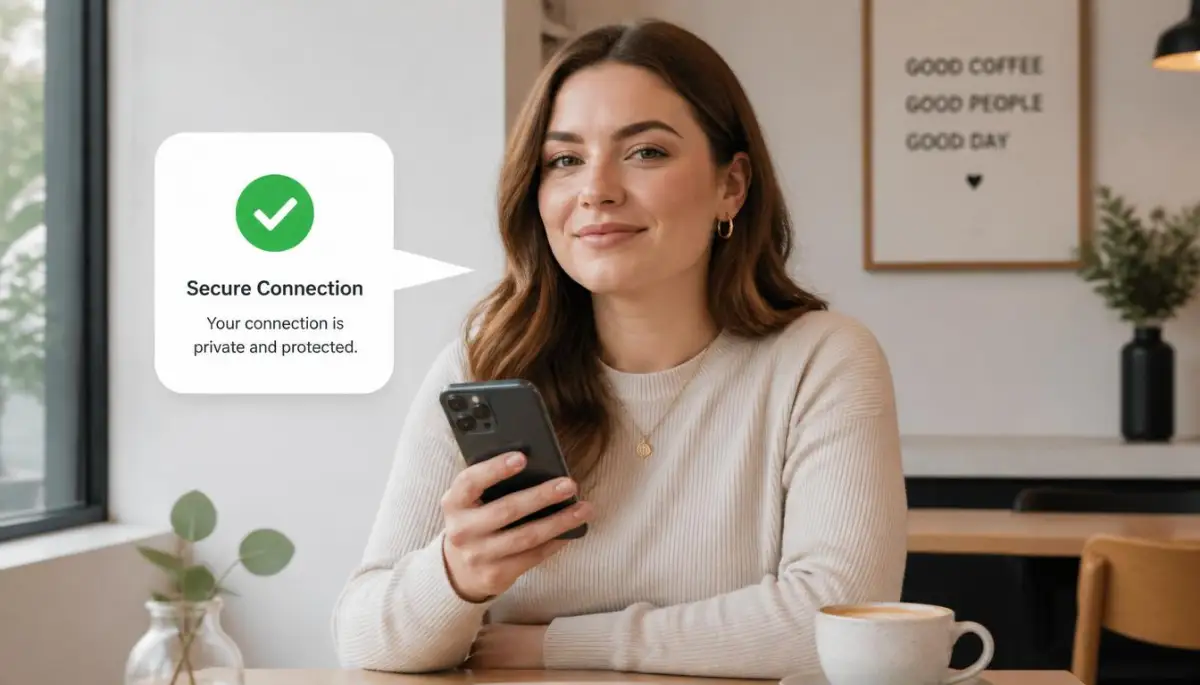
Another mistake is trusting "Free" public Wi-Fi at airports or cafes. Many people think that as long as they don't log into their bank, they are safe. But hackers can set up "Twin" networks that look like the official cafe Wi-Fi.
Once you connect, they can see every site you visit and even trick you into installing fake updates. If you must use public Wi-Fi, always turn on your VPN first. If you don't have one, use your phone’s cellular data as a hotspot instead.
We often talk about money and security together because they are linked. For example, people often ask is buying a home smarter than renting, and the answer often depends on your long-term financial stability. Protecting your data is a part of that stability. A single identity theft incident can ruin your chances of getting a mortgage for years.
The Trap of Oversharing on Professional Sites
We know not to post our home address on Facebook, but what about professional sites like LinkedIn? People often share too much detail about their work projects or the software their company uses.
Hackers look at these details to create "Spear Phishing" attacks. They might call you pretending to be from your IT department, mentioning the specific software you just talked about online.
Always keep your professional posts general. Don't mention specific internal tools or server names. Silence is a very powerful security tool. The less a stranger knows about your daily routine, the harder it is for them to trick you.
I also want to warn you about "Security Questions." If a site asks for your "First School" or "Mother's Maiden Name," do not tell the truth. Those answers are easily found by searching your social media.
Instead, treat security questions like a second password. If the question is "What is your favorite food?", your answer could be a random string of numbers. Just make sure you save that "answer" in your password manager.
Your Roadmap to a Safer Digital Life
You have learned a lot today, and I am proud of you for taking these steps. Security is not about being perfect; it is about being harder to catch than the person next to you.
Start small. Tomorrow, go through your phone and delete every app you haven't used in the last three months. Each app is a potential hole in your security that you don't need.
Next, check your primary email address on a site like "Have I Been Pwned." This will tell you if your data was leaked in a past breach. If it was, change that password immediately and turn on two-factor authentication.
I want you to feel empowered, not scared. The internet is a beautiful tool for learning and connecting. When you have good hygiene habits, you can enjoy all the benefits without the constant worry.
Think of these practices like wearing a seatbelt. You don't put it on because you expect to crash every day. You put it on so that if something goes wrong, you walk away safe.
You now have the secrets of the experts. Use them. Share them with your family. Let's make the internet a safer place, one person at a time.
Action Plan for Tomorrow:
- Audit your passwords and move them to a dedicated manager.
- Turn on 2FA for your email and banking—no excuses.
- Check your social media privacy settings and hide your friend list and contact info.
You’ve got this! Your future self will thank you for the work you are doing today. Stay safe out there!
![The Secret Anatomy of Decentralized Networks [Exposed for Beginners]](https://topic36.com/storage/uploads/blogs/1787976177_the-secret-anatomy-of-decentralized-networks-exposed-for-beginners.webp)