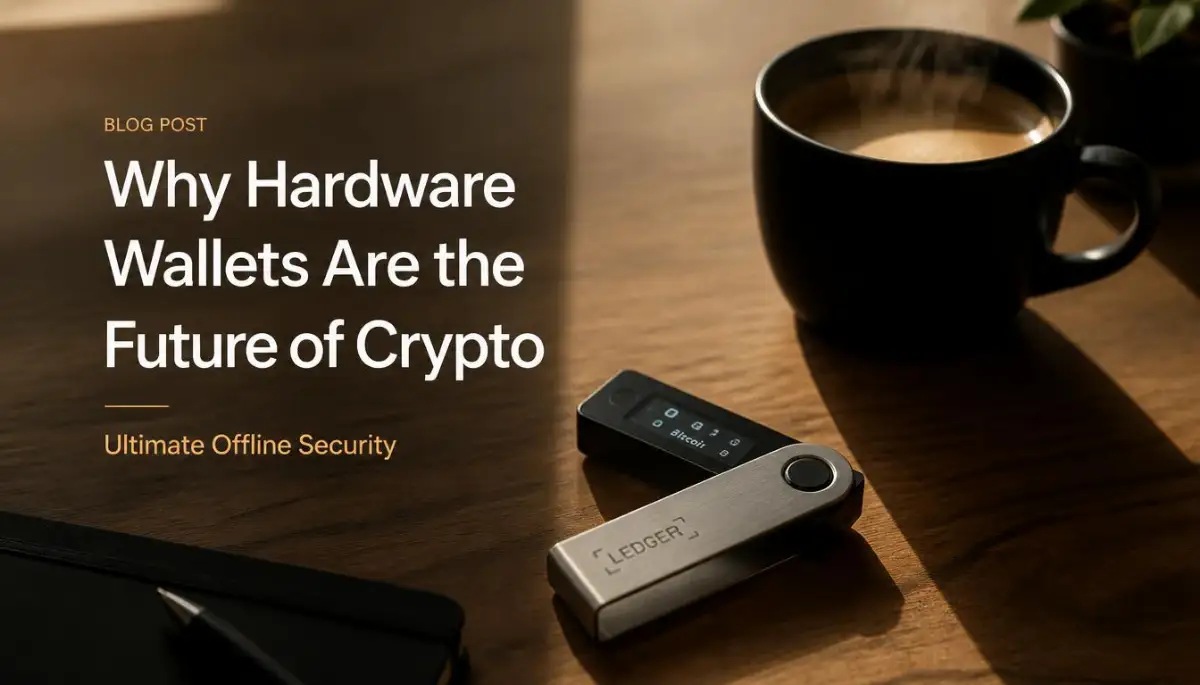
Losing Everything Taught Me the Hard Way About Digital Safety
I still remember the exact moment my stomach dropped to the floor. I woke up on a normal Tuesday, poured my morning coffee, and opened my phone to check my digital portfolio. My balance was staring back at me with a big, terrifying zero. I frantically refreshed the app, hoping it was just a simple network glitch. But deep down, I knew someone had bypassed my basic online security. That single moment of panic completely changed how I view digital safety today.
Looking back, I realize how incredibly naive I was. I trusted passwords and mobile apps to protect things I had worked so hard to build. That painful experience forced me to rethink everything about online storage.
Now, normal everyday people are waking up to this exact same nightmare. You work hard to accumulate digital assets, hoping to build a better future for your family. But keeping everything connected to the internet means you are always one small mistake away from losing it all. It creates this heavy, invisible weight on your shoulders.
I constantly talk to people who check their balances five times a day out of pure anxiety. They lie awake at night wondering if clicking a random link in an email compromised their accounts. That constant fear completely ruins your mental peace.
We live our lives on our phones and computers, leaving our digital front doors wide open. Every time you connect to a public Wi-Fi network, you are taking a massive risk. It is exhausting to live in a constant state of worry.
But I am here to tell you that you do not have to live like this anymore. There is a simple, highly effective way to take your assets completely off the internet and lock them away safely.

Your Bulletproof Blueprint for Offline Asset Protection
Taking your assets offline might sound like something only tech experts do. But I promise you, it is much easier than you think. By following a logical, step-by-step process, you can build a digital fortress that no online hacker can ever reach.
Let us break down exactly how you can set up your offline hardware wallet safely. We will cover the physical environment, the setup process, and the psychology behind true digital ownership.
Creating a Secure Physical Environment
Before you even take your new device out of the box, you need to prepare your surroundings. Online hackers cannot touch an offline device, but physical threats are just as dangerous. You need to treat this setup process like you are handling large amounts of physical cash.
First, find a quiet room in your house where no one will disturb you. Close all the blinds or curtains to ensure nobody can see through your windows. You want complete privacy during this entire operation.
Next, remove all smart devices from the room. That means your phone, your tablet, and especially any voice-activated smart speakers. These devices have cameras and microphones that could accidentally record your most sensitive information.
Myth vs. Reality: Online vs. Offline Storage
A lot of people misunderstand how these devices actually work. Let us clear up some common confusion before we move forward.
- Myth: Your digital assets actually live inside the physical piece of plastic and metal.
- Reality: Your assets always live on the blockchain. The hardware wallet just holds the secret keys needed to access them.
- Myth: If I lose my physical device, I lose all my wealth forever.
- Reality: As long as you have your written backup phrase, you can buy a new device and recover everything in minutes.
Understanding this difference completely changes how you approach security. You are not protecting the device itself; you are protecting the access keys.
The Golden Rules of Purchasing and Unboxing
When it comes to buying a hardware wallet, you must follow one absolute rule. Never buy a used device from an online marketplace. You must always buy directly from the official manufacturer's website.
When your package arrives, inspect the packaging carefully. Most top-tier companies use special tamper-evident stickers. If these stickers look torn, peeled, or replaced, do not use the device.
Contact the company immediately and demand a replacement. Hackers sometimes intercept packages in the mail to install malicious software before it even reaches your door. Taking five minutes to inspect the box can save you from a complete disaster.
Setting Up the Digital Vault
Now it is time to plug the device into your computer and begin the initial setup. The screen on the device will light up and guide you through a series of prompts. Always follow the instructions directly on the tiny device screen, not just what your computer monitor says.
The first thing you will do is create a PIN code. This is your first line of defense if someone breaks into your house and physically steals the device. Do not use your birth year or simple patterns like 1234.
Pick a PIN code that is totally random but easy for you to remember. If someone enters the wrong PIN too many times, the device will automatically erase everything on itself. This brilliant feature keeps your assets safe from physical thieves.
Generating Your Ultimate Master Key
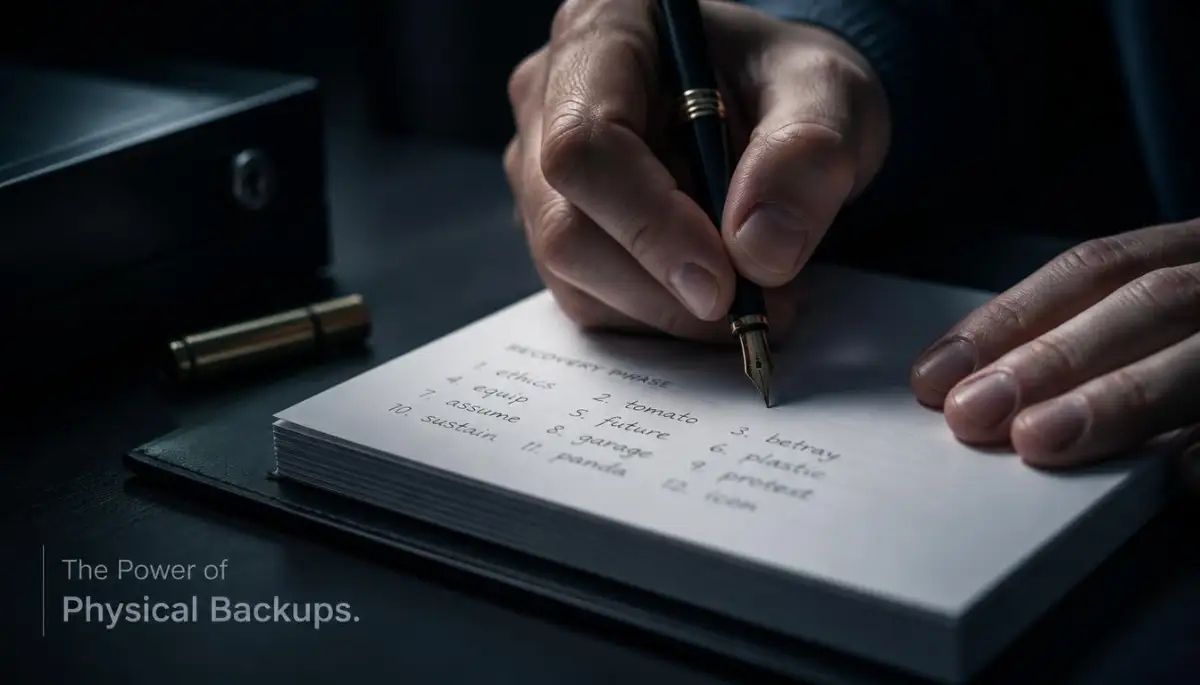
This is the absolute most important step in the entire process. Your device will now generate a secret recovery phrase, usually consisting of 12 or 24 random words. This phrase is the ultimate master key to all your digital wealth.
You need a solid plan for writing this down. Before you press any buttons, grab a high-quality pen and the blank recovery card provided in the box.
If anyone ever gets their hands on these words, they can take everything you own without needing your physical device or your PIN. Never type these words into your phone, take a picture of them, or save them in a digital document.
I actually learned a harsh lesson about this a few years ago. I thought I was being clever by splitting my recovery phrase into two separate digital files stored on different cloud drives. It was an absolute nightmare to manage, and a cybersecurity friend quickly pointed out that I had just created two digital targets instead of keeping it entirely offline. Keep it physical, keep it offline, and keep it incredibly simple.
The Art of Protecting the Recovery Phrase
Writing the words down is easy, but storing them is where most people fail. Paper can easily burn in a house fire or get ruined by a leaky pipe. You need to think about long-term physical durability.
Many people invest in specialized metal backup plates. You use a stamping tool to permanently engrave your recovery words into solid steel. This ensures your backup can survive fires, floods, and even structural collapses.
If you decide to stick with paper, put the card inside a waterproof and fireproof document bag. Then, lock that bag inside a heavy home safe. You must protect this piece of paper like it is the most valuable thing you own.
Testing the Empty Vault
Before you send a single dollar to your newly setup device, you must perform a stress test. You need to prove to yourself that your backup actually works. This builds massive confidence in your security system.
Here is what you should do. Send a tiny, insignificant amount of assets to the new wallet. Once the transfer is complete, deliberately reset your device back to its factory settings.
Watch this incredibly helpful breakdown before continuing:
This quick video perfectly explains the psychology behind stress-testing your device and why this single habit separates amateurs from experts.
Your device is now completely empty, just like the day you bought it. Now, use your written recovery words to restore the device. If everything reappears exactly as it was, you know your backup is perfectly accurate.
If it fails, you only lost a few pennies, and you can simply start the process over. Never skip this testing phase.
Initiating the First Real Transfer
Once you have verified that your backup is solid, you can start moving your actual assets. But again, you want to move slowly and methodically. Do not send your entire portfolio in one massive transaction.
Human error is your biggest enemy right now. Copying and pasting complex receiving addresses can be nerve-wracking. Always send a test transaction first.
Wait for the small test transfer to arrive and confirm it on the blockchain. Once you see it sitting safely in your offline wallet, you can confidently send the rest. Taking these small, deliberate steps completely removes the anxiety from the process.
Establishing a Safe Routine
Securing your assets is not a one-time event; it is an ongoing habit. Every time you need to interact with your offline device, you must follow the same strict security rules.
Always check the physical condition of the device before plugging it in. Look for any strange scratches or signs that someone might have tampered with it while you were away.
Only connect the device to your computer when you absolutely need to make a transaction. The moment you are finished, unplug it immediately and lock it back inside your safe. The less time it spends connected to any machine, the safer your assets will remain.
Preparing for the Unexpected
Life is completely unpredictable, and you need to plan for situations where you might not be around. What happens to your digital assets if you get into a severe accident? You need an emergency access plan for your loved ones.
Talk to your spouse or a deeply trusted family member about your setup. They do not need to know where the backup is hidden right now, but they need to know it exists.
You can leave clear, step-by-step instructions in a legal will or with a trusted attorney. Explain exactly what a hardware wallet is and how to use the recovery phrase. Leaving behind locked digital assets that no one can access is a heartbreaking situation you want to avoid.
Staying Educated on Physical Security
Hackers are getting smarter, but physical security principles remain the same. The best defense you have is common sense and extreme privacy.
Never brag about your digital assets on social media. Do not tell your coworkers or distant friends that you use cold storage. The less people know about your wealth, the less likely you are to become a physical target.
Your hardware wallet setup gives you the ultimate peace of mind. You can finally sleep soundly at night, knowing your hard work is locked away far from the reach of the internet. This level of control is exactly what true financial freedom feels like.
By taking these physical steps, you are doing something 99% of people are too lazy to do. You are taking absolute, uncompromising responsibility for your own wealth. And that is the most powerful financial move you can possibly make.
Pro-Level Secrets for Long-Term Digital Security
Once you have your basic physical vault set up, it is time to think like a true security expert. Most everyday users stop after they write down their recovery phrase. But there are a few highly effective strategies that can take your protection to an entirely different level.
These are not complicated technical tricks meant only for computer programmers. These are simple, logical habits that protect you from extreme physical and psychological threats. Think of this as adding a secret hidden room inside your already secure digital fortress.
I want to share the exact methods professionals use to ensure their wealth remains completely untouchable. When you apply these habits, you are establishing a secure baseline for general technology safety that will serve you for decades.
Creating a Secret Decoy Vault
Imagine a terrifying scenario where someone breaks into your home and physically forces you to unlock your hardware device. This is a very real threat known as a physical wrench attack. If they demand your PIN code, you might feel like you have no choice but to hand everything over.
This is where the concept of a hidden wallet comes into play. Most high-quality offline devices allow you to set up a secondary, secret PIN code. This second PIN opens a completely different, hidden account on the exact same device.
You can put a small amount of funds in the main account to act as a decoy. If someone ever forces you to open your device, you simply type in the normal PIN and give them the decoy funds. They will walk away thinking they got everything, while your true wealth remains perfectly safe in the hidden account.
The Art of the Extra Security Word
We already talked about how your recovery phrase is the ultimate master key to your digital life. But what happens if someone manages to find the metal plate where you stamped those words? You can actually add an extra layer of protection called a custom passphrase.
This is an extra word that you personally choose to add to the end of your standard recovery phrase. Without this specific extra word, the original backup is completely useless. The beauty of this system is that you never write this custom word down in the same physical location as the rest of the phrase.
You memorize it, or you store it in a completely separate secure location, like a bank safety deposit box. By separating these two pieces of information, you guarantee that finding your hidden backup plate is not enough to steal your assets. This strategy perfectly aligns with modern strong authentication practices recommended by leading cybersecurity organizations.
Mastering Safe Firmware Updates
Your offline device is just a small computer, and occasionally, the manufacturer will release software updates. These updates are meant to patch new security threats and improve how the device functions. However, updating your device is the exact moment when you are most vulnerable to making a mistake.
Scammers often send fake emails pretending to be the hardware company, asking you to download an urgent security patch. If you click their link, you will download malicious software that can drain your accounts. You must never update your device through an email link or a random pop-up message.
Always type the official manufacturer's website directly into your browser. Make sure you are ensuring a stable internet connection before starting, as losing power during an update can temporarily freeze your device. Always verify the digital signature of the software before you install it onto your hardware.
Dividing Your Wealth Strategically
As your digital portfolio grows, keeping everything on a single physical device becomes unnecessarily risky. You would never walk around with your entire life savings stuffed into one leather wallet in your back pocket. You need to apply that same exact logic to your offline storage.
Consider buying two or three different devices from entirely different manufacturers. You can split your assets across these multiple offline vaults. If one company eventually reveals a hidden security flaw, only a fraction of your wealth is exposed.
This strategy might seem like overkill to a beginner, but it provides incredible psychological comfort. It prevents a single point of failure from wiping out your family's future. When companies focus on designing tools people trust, they actually encourage you to diversify your storage methods for maximum safety.
Protecting Your Physical Privacy at Home
We spend so much time worrying about online hackers that we completely forget about the people walking past our front door. The location where you store your physical backup needs to remain an absolute secret. You cannot just leave your recovery phrase sitting inside a desk drawer or tucked under a mattress.
You need to think about natural disasters, curious houseguests, and targeted burglaries. Invest in a heavy, fireproof safe that is physically bolted to the concrete floor of your home. If a burglar cannot easily carry it out the door, they will usually give up and leave.
It is exactly like creating a comfortable environment in your living space; you need to arrange things so that safety feels completely natural. For extreme wealth, some people even bury a weatherproof capsule in a remote location, though a high-end home safe is usually enough for most families. You can read more about the physical dynamics of protecting physical devices from unauthorized searches to understand how deep this rabbit hole goes.
The Heartbreaking Traps People Fall Into
Over the past few years, I have heard some truly devastating stories from people who tried to secure their assets but made one tiny, fatal error. The saddest part is that these losses are almost always completely preventable. They happen because people get a little bit too comfortable or try to take a lazy shortcut.
You have to respect the technology and the rules that come with it. When you become your own bank, there is no customer service hotline you can call to reverse a fraudulent transaction. Let us walk through the most dangerous traps you must avoid at all costs.
The Digital Photo Disaster
This is the single most common mistake beginners make, and it completely destroys the entire purpose of cold storage. A user will carefully set up their brand new offline device. The screen will display their secret recovery words, and instead of writing them down on paper, they pull out their smartphone and snap a quick photo.
They tell themselves they will write it down later when they have more time. But the exact moment that photo hits their phone's camera roll, the backup is automatically synced to their cloud storage. Their ultimate secret key is now sitting on an internet server, waiting for a hacker to find it.
I know a guy who lost his entire retirement fund because a hacker gained access to his cloud photo album. The hacker ran a simple automated script to search all his photos for the words "recovery phrase." You must never, under any circumstances, let a digital camera lens point at your backup words.
Buying Discounted Danger
Hardware devices can be a bit expensive, usually costing around fifty to two hundred dollars. Sometimes people try to save a few bucks by hunting for discounts on popular auction sites. They find a "brand new, sealed in box" device being sold by a random third-party seller for half the retail price.
This is a massive, flashing red warning sign. Highly sophisticated scammers will buy real devices, carefully open them, and install custom malicious chips inside. They then use professional shrink-wrap machines to make the box look perfectly brand new.
When the unsuspecting buyer sets up the device, the scammer receives a silent notification with full access to the newly created accounts. The buyer deposits their funds, and the next day, everything vanishes without a trace. Always buy directly from the manufacturer, even if it costs a little bit more in shipping fees.
Falling for the Fake Support Agent
Imagine you are trying to send a transaction, and your device suddenly gives you a confusing error message. In a panic, you jump onto a social media platform or a community forum and ask for help. Within minutes, a friendly "Customer Support Agent" sends you a private message offering to fix the problem.
They will direct you to a very professional-looking website and ask you to type in your recovery phrase to "synchronize" your device. When you are stressed and confused, this sounds like a totally logical solution. But no legitimate company will ever, in a million years, ask you for your backup words.
The moment you type those words into their website, your funds will instantly drain. This is a classic example of why recognizing social engineering attacks is your strongest line of defense. The technology is practically unbreakable, so scammers always attack human psychology instead.
The Forgotten Location Syndrome
This mistake does not involve hackers or scammers at all; it is a self-inflicted wound. People will hide their physical backup phrase so well that they actually forget where they put it. They might hide it inside an old book in the attic or bury it in a random spot in the backyard.
Five years later, they buy a new computer and need to restore their offline wallet. They go looking for their secret hiding spot, only to realize the book was donated to a charity shop two years ago. The funds are perfectly safe on the blockchain, but without the backup phrase, they are permanently locked away forever.
If you are going to hide your backup, you must leave a clear, offline breadcrumb trail for yourself. Write down a vague hint in a personal notebook that only you would understand. Taking charge of securing your digital life means protecting yourself from your own future forgetfulness.
Your New Life of True Financial Peace
Taking full ownership of your digital assets can feel overwhelming at first. You have to unlearn years of bad habits and stop relying on passwords and mobile apps. But once you set up your physical vault correctly, a massive weight lifts off your shoulders.
You no longer have to wake up in a cold sweat wondering if an online exchange got hacked overnight. You are no longer glued to your phone, checking your balance constantly out of fear. You have built a digital fortress that is completely disconnected from the chaos of the internet.
Think about the incredible power you hold in your hands right now. With a tiny piece of plastic and a properly secured piece of paper, you can protect generational wealth from anywhere in the world. You have successfully eliminated 99% of the digital threats that keep normal people awake at night.
I strongly encourage you to take action on this within the next 24 hours. Order a device directly from a trusted manufacturer, clear out a quiet room in your house, and physically write down your backup. My personal journey completely transformed the day I finally held my assets entirely in my own hands, and I want you to experience that exact same unshakeable confidence starting today.
Questions People Always Ask About Cold Storage
Can my offline hardware device get infected with a computer virus?
No, it is mathematically impossible for a standard computer virus to infect your offline hardware device. The device is designed to only sign transactions internally and never allows sensitive data to travel back into your computer. Even if you plug it into an infected laptop, your private keys remain completely isolated and safe.
What happens to my money if the hardware company goes out of business?
Your assets are completely independent of the hardware manufacturer. The device uses an open-source standard to generate your recovery words. If the company disappears tomorrow, you can simply type your physical backup words into a competitor's device and instantly recover all your funds.
Do I need to keep the device plugged into my computer to receive funds?
You do not need to keep the device powered on or plugged in to receive anything. Your assets actually live on the blockchain network, not inside the physical device itself. You can keep the device locked in a safe for ten years, and people can still send funds to your public address at any time.
Is it legally safe to travel internationally with my offline wallet?
You can generally travel with a hardware device, but crossing international borders always carries some privacy risks. Border security agents in some countries may legally demand that you unlock electronic devices. Many people prefer to leave the physical device safely at home and use a temporary mobile setup while traveling for total peace of mind.
How often should I manually check my physical backup phrase?
You should physically inspect your backup phrase at least once every six months to ensure the paper or metal has not degraded. Make sure it is still perfectly readable and exactly where you left it. However, you should never type the words into any electronic device during these routine inspections.
Disclaimer: The information provided in this article is for educational and informational purposes only and does not constitute financial, investment, or legal advice. Always conduct your own thorough research and consult with a certified professional before making any significant decisions regarding the security of your digital assets or personal wealth.

![7 Hidden Traps in Decentralized Finance You Must Know [Step-by-Step Defense]](https://topic36.com/storage/uploads/blogs/1788868861_7-hidden-traps-in-decentralized-finance-you-must-know-step-by-step-defense.webp)