The Frustration of a Disconnecting World: Why Your Wi-Fi is Failing You
Imagine you are in the middle of a very important video call. You are presenting a great idea, and suddenly, everyone's face freezes. You see that spinning circle of death. Your Wi-Fi just died again.
It is not just about work. It happens when you are finally sitting down to watch your favorite show after a long day. The movie stops right at the best part. You feel a mix of anger and helplessness. Why does technology fail us when we need it most?
We live in a time where the internet is as important as electricity. When the Wi-Fi drops, our whole day stops. You might find yourself walking around the house holding your phone up, trying to "catch" a signal. It feels silly and exhausting.
You have probably tried turning it off and on a hundred times. Sometimes it works for five minutes, then it breaks again. This constant struggle creates a lot of hidden stress. It makes you feel disconnected from the world.
We understand how annoying this is. You are not alone in this fight. Millions of people deal with poor signals and slow speeds every single day. The good news is that most of these problems are very easy to fix.
You don’t need to be a computer genius to have great internet. You just need to know a few small secrets about how routers work. Let’s look at how we can bring peace back to your digital life and make your connection rock solid.
The Simple Magic of a Proper Power Cycle
The first thing almost any tech expert will tell you is to "restart your router." This might sound like a cliché, but there is real science behind it. Your router is actually a small computer.
Like any computer, it has memory and a processor. Over time, the software inside it can get "clogged" with old data. Small errors build up until the system gets confused and stops sending signals correctly.
To do a proper power cycle, do not just press the reset button. You should pull the power cable out from the back of the device. Wait for at least thirty seconds. This allows all the electricity to leave the tiny components inside.
When you plug it back in, the router starts fresh. It clears out all the temporary errors. It also looks for the least crowded "channel" to send your data through. Doing this once a week can prevent most random drops.
Finding the Perfect Spot for Your Router
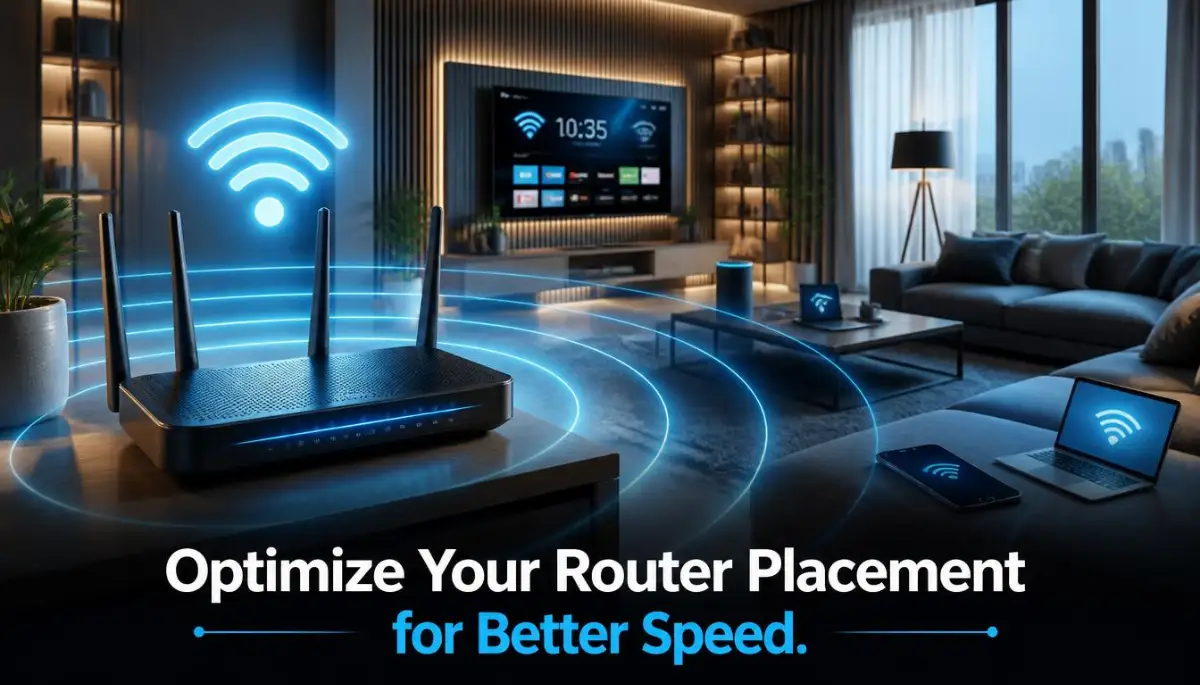
Where you put your router is more important than how much you paid for it. Many people hide their routers inside cabinets or behind the TV because they look ugly. This is a big mistake for your signal.
Wi-Fi signals are actually radio waves. They are not very good at going through solid objects. Walls, doors, and even large mirrors can block your connection. If your router is on the floor, half of your signal is going straight into the ground.
You should place your router in a central location in your home. Think of it like a lightbulb. If you want to light up the whole house, you wouldn't put the bulb in a closet in the corner.
Try to keep the router at chest height or higher. Putting it on top of a bookshelf is a great idea. Make sure it is away from other electronics like microwaves or cordless phones. These devices use the same "airspace" and can cause a lot of noise for your Wi-Fi.
The Battle of the Bands: 2.4GHz vs 5GHz
Most modern routers are "Dual-Band." This means they send out two different types of signals. Understanding the difference between them can change your internet experience forever.
The 2.4GHz band is like a slow, heavy truck. It can go very far and pass through walls easily. However, it is not very fast. Also, many other things like baby monitors and microwaves use this band, so it gets very crowded.
The 5GHz band is like a fast sports car. It provides amazing speeds for gaming and streaming. But, it has a short range. It cannot go through thick walls very well.
Use the 5GHz band for devices that are in the same room as the router. This includes your laptop or smart TV. Use the 2.4GHz band for your phone or smart home gadgets that are further away. Separating your devices this way stops the "traffic jams" in your airwaves.
Updating Your Router’s Brain (Firmware)
Did you know your router has an operating system? It is called firmware. Just like your phone needs updates to fix bugs, your router needs updates to stay healthy.
Manufacturers often release updates that make the signal stronger or more stable. If you have never updated your firmware, your router might be running on old, buggy code. This leads to those "ghost" disconnects that no one can explain.
You can usually find the update settings by logging into your router's dashboard through a web browser. It sounds scary, but it is usually just a single button click. Keeping the firmware fresh ensures you have the latest security and speed improvements.
Myth vs. Reality: Does More Antennas Mean Better Speed?
Checking for Secret Bandwidth Thieves
Sometimes your Wi-Fi isn't broken; it is just being overworked. In a typical home, many devices are connected at once. Even when you are not using them, they might be stealing your speed.
Your smart fridge, your tablet in the drawer, and your old phone might be downloading updates in the background. This uses up your "bandwidth." Bandwidth is like water pipes; if too many faucets are open, the pressure drops everywhere.
Check your device list in the router settings. If you see devices you don't recognize, it is time to change your password. Using a strong password prevents neighbors from "hitching a ride" on your connection.
Also, look for apps on your computer that start automatically. Things like cloud storage syncing or game updates can eat your speed. Closing these background tasks can give you an instant boost in performance.
The Hidden Impact of Physical Interference
We often forget that our homes are full of things that hate Wi-Fi. Metal is the biggest enemy. If your router is near a metal radiator or inside a metal desk, your signal will suffer.
Water is another surprise. Large fish tanks can actually block Wi-Fi signals. This is because water absorbs radio waves very effectively. If your office is on the other side of a big aquarium, that explains your lag!
Try to maintain a clear "line of sight" between your router and your most important devices. If you can see the router from where you are sitting, you will have the best possible connection. Even moving your laptop a few inches to the left can sometimes improve your speed.
Pro Tip: Use a Wi-Fi Analyzer App
If you want to feel like a real pro, download a free Wi-Fi analyzer app on your phone. These apps show you a visual map of the signals around you. You can see which channels your neighbors are using.
If everyone in your apartment building is on "Channel 6," your internet will be slow because of the noise. Switching your router to a less crowded channel can make your Wi-Fi feel brand new. It is like moving from a crowded highway to a clear side road.
The Role of Old Cables
Sometimes the problem isn't the air; it's the wires. The cable that connects your wall to your router is very important. If you are using a very old Ethernet cable (like Cat5), it might be limiting your speed.
Look for the writing on the side of your cables. You want to see "Cat5e" or "Cat6" for the best results. These cables can handle much higher speeds. Replacing a ten-year-old cable is a cheap fix that can provide a massive jump in stability.
Dealing with Office Network Overload
In an office setting, the problems are slightly different. You have many people trying to use the same system at once. This creates a "collision" of data.
When too many people send data at the same time, the router gets overwhelmed. Professional office routers often have "Quality of Service" (QoS) settings. QoS allows you to tell the router that video calls are more important than file downloads.
This ensures that even if someone is downloading a huge file, your Zoom meeting stays clear. It is about managing the flow of data so that the most important tasks get the most "priority."
Why Weather and Temperature Matter
It sounds strange, but heat can kill your Wi-Fi. Routers generate a lot of heat while they work. If they are in a hot corner with no airflow, they will slow down to protect themselves from melting.
Keep your router in a cool, ventilated area. Do not stack other electronics on top of it. If the router feels very hot to the touch, it is likely "thermal throttling." This means it is purposely running slower to stay cool.
Also, extreme weather can sometimes affect the cables coming into your house. High humidity or heavy rain can interfere with outdoor connections. If your internet always fails during rain, the problem might be with the physical wires outside your home.
Is Your Device the Problem?
Before you blame the router, check your device. Older phones and laptops have older Wi-Fi chips. They cannot talk to the router as fast as newer devices can.
If your new iPhone has great speed but your old laptop is slow, the laptop is the bottleneck. Sometimes a simple $20 USB Wi-Fi adapter can upgrade an old computer to modern speeds. This is much cheaper than buying a whole new laptop or a new router.
By following these scientific and practical steps, you are well on your way to a perfect connection. We have covered the basics of placement, frequency, and maintenance. In the next part, we will look at even more advanced ways to extend your range and secure your network.
Taking Control of Your Connection: Moving Beyond the Basics
You now know how to move your router and restart it. Those steps are a great start for any home or office. But sometimes, the problem is deeper in the system.
To have internet that never fails, you need to think like an expert. You don't have to be a tech genius, but you should understand the small settings that make a big difference. These next steps will help you build a network that stays strong even when many people are using it at once.
The Magic of Changing Your DNS Settings
When you type a website name into your browser, your computer needs to find its "address." This is handled by a system called DNS. By default, your internet provider gives you their DNS, which is often slow and crowded.
Think of it like a GPS for the internet. If the GPS is slow, it takes longer to start your journey. You can switch to a faster "GPS" by using public services like Cloudflare DNS. This small change can make websites load much faster.
It also adds a layer of safety. Better DNS providers can block bad websites before they even load. This is a smart move if you spend a lot of time online protecting your crypto for decades by managing secure storage. A fast and secure connection is the foundation of digital safety.
Why Mesh Networks Beat Signal Extenders
Many people buy cheap "range extenders" when they have a dead zone in their house. This usually makes the problem worse. Extenders create a second network that fights with your main one.
A mesh network is a much smarter choice. It uses several small units that talk to each other to create one big blanket of Wi-Fi. It is like having several small speakers in every room instead of one giant loud speaker in the living room.
With mesh, your phone will stay connected to the strongest signal as you move around. You won't see those annoying drops when you walk from the kitchen to the bedroom. It makes your whole house feel like it has "smart" coverage.
Managing Your "Digital Traffic" with QoS
If you live with family or work in a busy office, everyone is fighting for speed. One person watching a movie can ruin a video call for everyone else. You can fix this using a setting called Quality of Service (QoS).
QoS lets you tell your router which tasks are the most important. You can set it so that video calls and work tasks always get the most speed. This way, even if someone starts a big download, your meeting will stay clear.
It is like having a carpool lane on a highway. The most important traffic gets to move fast while everything else waits a little bit. This is very helpful when you are doing high-stakes research, such as checking is buying a home smarter than renting. You don't want your connection to drop while looking at important financial data.
The Power of Static IP Addresses
Every device on your Wi-Fi has a name called an IP address. Usually, the router gives these out randomly. Sometimes, two devices try to take the same name, and they both lose their connection.
This is called an IP conflict. To prevent this, you can give your most important devices a "permanent" name. This is called a Static IP.
It keeps the connection stable for printers, game consoles, and smart home hubs. When the device knows exactly who it is, it doesn't have to "ask" the router for a name every time it wakes up. This makes the connection happen instantly.

The Silent Killers of Fast Internet: Mistakes We All Make
We often try to fix our Wi-Fi by spending money on things we don't need. One of the biggest mistakes is buying the most expensive router but using old cables. If your wall cable is old, a $500 router will still be slow.
Another common mistake is "Over-Boosting." People think that if they put the signal power to the maximum, it will be better. But this is like shouting in a small room.
The signal bounces off walls and creates "noise" that confuses your devices. Sometimes, turning the signal power down a little bit actually makes the connection cleaner. It allows the devices to "hear" each other without all the echoes.
The Danger of Ignoring Network Security
Many people keep the default password that came with their router. This is a massive risk. Hackers look for these common passwords to get into home networks.
If someone gets into your Wi-Fi, they can see what you are doing. They can slow down your speed by using your data. Even worse, they could access your banking info while you are learning how to rebuild your credit score after a major financial disaster.
Always use WPA3 or WPA2 security. Avoid the old WEP setting at all costs. It is so old that even a beginner can break into it in minutes. Keeping your "digital door" locked is just as important as locking your front door.
Leaving the Router in the Dust
We often forget that routers need a clean environment. Many people put their routers in the back of a dusty cabinet. Dust builds up inside and makes the parts get too hot.
When a router gets hot, it slows down to keep from breaking. This is why your internet might feel fast in the morning but slow by the evening. The heat has built up all day.
Give your router some "breathing room." Keep it in an open area with good airflow. If you see dust on the vents, use a can of air to blow it out. A cool router is a fast router.
Trusting "Free" Signal Boosters
You might see ads for apps that promise to "double your Wi-Fi speed." Most of these are fake and could contain viruses. No app can change the physical power of your router.
Instead of looking for a "magic" app, look at your settings. Check the standards set by the Wi-Fi Alliance. They define how modern wireless signals should work. If your device follows these standards, you don't need any extra software to make it work.
The Risk of Over-Connecting
In our modern lives, we connect everything to the Wi-Fi. Lightbulbs, toothbrushes, and even toys. Every single one of these takes a tiny bit of power from your router.
If you have 50 smart devices, your router has to "talk" to all of them at once. This can make your main computer feel slow. If a device doesn't need to be online, turn the Wi-Fi off.
Try to use a wire for things that don't move. Your desktop computer or your TV should use an Ethernet cable if possible. This frees up the "air" for your phone and laptop, making everyone's experience better.
The Road to Flawless Connectivity: Your Action Plan
Fixing your Wi-Fi is not a one-time job. It is about building good habits. Start today by looking at where your router is sitting. If it is on the floor or in a box, move it up high.
Next, check your settings. Change your password and update the software. These small things take only ten minutes but can save you hours of frustration later.
A good connection gives you more than just speed. It gives you peace of mind. It allows you to work, learn, and relax without the fear of a "loading" screen. You have the power to make your home or office a place of perfect connectivity.
Don't wait for the next drop to happen. Take these steps now and enjoy the internet the way it was meant to be. Fast, stable, and always there when you need it.
Disclaimer: The information provided in this article is for educational purposes only. Always follow the manufacturer's instructions when changing settings on your electronic devices. Improperly changing network settings can lead to temporary loss of internet access.


![7 Hidden Ways Your Smartphone Ruins Your Sleep [Fix It Tonight]](https://topic36.com/storage/uploads/blogs/1787199601_7-hidden-ways-your-smartphone-ruins-your-sleep-fix-it-tonight.webp)