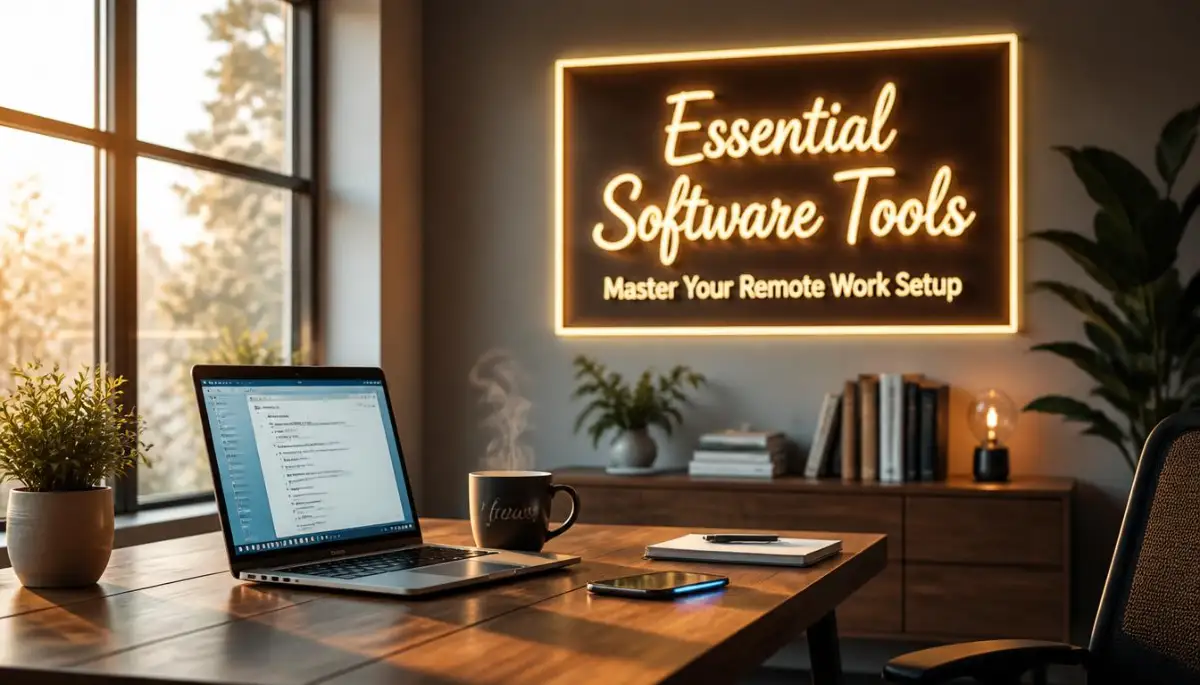
The Hidden Cost of Working From the Living Room (And How I Almost Lost My Mind)
I still remember staring blankly at my laptop screen at seven in the evening, feeling completely paralyzed by anxiety. My dining table had become a messy dumping ground for coffee mugs, sticky notes, and printed documents.
I was working from home, which was supposed to be a dream come true. But instead of enjoying flexible hours, I felt like I was working around the clock.
My phone was constantly buzzing with notifications from three different messaging apps. I would miss important messages because I could not remember if a client sent a request via email, a text, or a direct message.
Every single morning felt like I was starting a race already ten miles behind the finish line. I wanted to be a highly effective remote professional, but my reality was just constant chaos and stress.
I realized that my brain was completely overloaded trying to remember everything. I was using my memory as a filing cabinet, and it was failing me miserably.

This is a quiet struggle that so many remote workers face every single day. We are given a laptop and an internet connection, but nobody actually teaches us how to manage a digital office.
Without the physical boundaries of a traditional office, our work life easily bleeds into our personal time. You sit down to watch a movie with your family, but your mind is still worrying about a forgotten task.
This constant state of mental clutter destroys your peace of mind. It makes you feel exhausted even on days when you did not accomplish much.
The main problem is not a lack of hard work or motivation. The problem is a lack of reliable systems.
When you do not have the right digital setup, you end up doing the same work twice. You waste precious energy searching for files, asking for updates, and trying to figure out what you should do next.
This silent drain on your energy is what leads to severe burnout. But the good news is that this problem is entirely fixable.
You just need to build a digital environment that supports your brain instead of confusing it. By adopting a few simple, well-chosen applications, you can completely change how your workday flows.
Building Your Bulletproof Digital Workspace
To stop the daily panic, you need to replace your messy habits with clear digital systems. Let me walk you through the core categories of applications you absolutely need to master.
We will not just look at random names of apps. We will look at exactly how they solve specific remote work problems.
Mastering the Art of Silent Communication
The biggest trap of remote work is the expectation of instant replies. We treat chat applications like they are emergency alarms.
Every time a notification pops up, your brain gets distracted from deep work. Science tells us that it takes over twenty minutes to fully regain your focus after a single interruption.
This means if you check your messages three times an hour, you are never actually doing focused work. You are just reacting to other people all day long.
To fix this, you need to master asynchronous communication tools. These are platforms designed for team discussions that do not require instant answers.
Instead of tapping someone on the shoulder digitally, you leave a detailed message for them to read when they are ready. Good communication software allows you to set specific boundaries.
You can set status updates that tell your team you are in a deep work session. You can mute specific channels that are not relevant to your current project.
The goal is to turn notifications off by default and only check them during scheduled times. Imagine how much you could get done if you had three uninterrupted hours every morning.
Here is exactly why I changed my approach:
I used to keep my team chat open on my second monitor all day long. I thought being highly responsive made me a great employee. Instead, I realized I was just constantly distracted and making silly mistakes on my actual projects. Now, I close the chat app completely and only open it at 11 AM and 4 PM. My productivity has doubled, and nobody has even complained about the delayed responses.
Watch This Quick Setup Guide to Manage Notifications
If you feel constantly overwhelmed by digital noise, watching someone organize their settings can be a huge relief. The video below shows exactly how to customize your alerts so you control your computer, rather than letting your computer control you.
The Visual Brain Dump: Project Organization
Trying to keep all your daily tasks in your head is a guaranteed way to feel stressed. A simple paper to-do list is better than nothing, but it falls apart when you manage complex projects.
This is where a dedicated visual project manager becomes your best friend. Think of this software as a digital whiteboard that never gets erased.
There are many styles, but the most effective for remote workers is often the Kanban board. This system uses simple columns: Ideas, Doing, and Finished.
Every single task gets its own digital card. When a new idea pops into your head, you do not worry about it. You just throw it into the "Ideas" column.
When you start working on it, you drag the card to the "Doing" column. This simple dragging motion actually gives your brain a nice hit of dopamine.
It feels incredibly rewarding to see your tasks physically move across the screen. More importantly, it gives you a realistic view of your workload.
If you see fifteen cards in your "Doing" column, you immediately know you have taken on too much. You can then pause and reorganize your priorities before you burn out.
The Physical vs. Digital Battle
As you can see, transitioning to a digital board protects your hard work. It also allows you to link directly to the websites and documents you need for that specific task.
Imagine clicking a task card and finding the exact client email, the draft document, and the reference images all saved right there. That completely eliminates the frustrating hunt for information.
Taking Back Your Minutes with Focus Timers
One of the strangest things about working from home is how time seems to disappear. You sit down at nine in the morning, blink, and suddenly it is three in the afternoon.
You might feel exhausted, but you cannot exactly pinpoint what you finished. This happens because home environments lack the natural time markers of an office.
There is no physical commute, no lunch bell, and no colleagues packing up their bags to leave. To solve this, you need software that forces you to respect time.
Time-tracking and focus applications are not just for billing clients. They are tools for personal accountability.
A great focus timer uses the Pomodoro technique, breaking your work into clear blocks. You work intensely for twenty-five minutes, and then the software forces you to take a five-minute break.
During those twenty-five minutes, good focus software can block distracting websites. If you try to open social media out of habit, the app stops you and gently reminds you to get back to work.
This creates a sense of positive urgency. When you know a timer is running, you are much less likely to stare out the window.
Over a few weeks, you start to collect real data on your habits. You might discover that writing an email report takes you forty minutes instead of the ten minutes you assumed.
This data helps you plan your days much more accurately. You stop overloading your daily schedule because you finally know exactly how long tasks take.
The Cloud Storage Lifeline (Never Lose a File Again)
Let's talk about the silent killer of remote productivity: bad file management. We have all experienced the panic of trying to find a document named "Final_Version_Draft_2_New.docx".
When your files are scattered across your desktop, your downloads folder, and your email attachments, you are wasting hours every week. A proper cloud storage system solves this completely.
But just buying storage space is not enough. You must build a logical folder structure.
Think of cloud storage as a professional filing cabinet. You would not just throw loose papers into a drawer and hope to find them later.
You need to create a strict hierarchy. Start with broad categories like "Clients", "Internal Projects", and "Admin".
Inside those, create specific folders with clear dates and names. A simple rule is to always save files directly to their proper cloud folder immediately.
Never use your computer's desktop as a temporary holding zone. Temporary holding zones almost always become permanent graveyards for lost files.
Myth vs. Reality in Remote Setup
Myth: I only need a laptop and a good internet connection to be productive at home.
Reality: A laptop is just the engine. Without proper organization software, you are driving a fast car with no steering wheel.
Myth: Setting up project management boards takes too much time away from real work.
Reality: Spending thirty minutes building a system today will save you ten minutes every single day for the rest of your career.
Myth: More apps will make me more productive.
Reality: Too many apps create app fatigue. You only need a few carefully selected tools that talk to each other seamlessly.
Integrating Calendar Systems for Ultimate Control
The final piece of this initial digital setup is mastering your calendar. Many people only use calendars to track scheduled meetings with other people.
This is a huge missed opportunity. Your calendar should be the master blueprint of your entire day, including time spent alone.
This concept is called time-blocking. You literally schedule appointments with yourself to complete specific tasks.
If you need to write a blog post, block out two hours on Tuesday morning. When that time comes, you treat it with the same respect you would give a meeting with your boss.
Good calendar software allows you to color-code these blocks. You can make deep work blue, meetings red, and administrative tasks yellow.
A quick glance at your week will instantly tell you if your schedule is balanced. If your whole week is red, you know you will not have time to actually finish any independent projects.
You can also use smart scheduling software that integrates with your calendar. Instead of sending emails back and forth to find a meeting time, you just send a personalized link.
The other person clicks the link, sees your available time slots, and books it themselves. This simple software trick easily saves hours of annoying email tennis every single month.
When you combine a smart calendar, a visual project board, a focus timer, and clear communication rules, you build a fortress of productivity. The chaos of the living room office disappears.
You start waking up knowing exactly what you need to do. You finish your workday knowing exactly what you accomplished.
This level of control is what makes remote work a blessing instead of a burden. You finally get to experience the freedom and flexibility you originally wanted.
Setting up these systems takes a little bit of patience. You will have to break some old, messy habits.
But the mental clarity you gain is worth every second of the effort. Your digital workspace is your new office building; it is time to arrange the furniture properly.
As we continue to build this perfect setup, we will look at how to automate repetitive tasks so you can work even faster.
Automating Your Daily Routine for Maximum Efficiency
Once you have the basic systems running, you can start looking at more advanced methods to save time. The true magic happens when your software tools start talking to each other.
Many people spend up to an hour every single day just copying and pasting information. You might get an email from a client and manually type that request into your task board.
You can completely stop doing this by using workflow automation software. These smart connectors act like an invisible assistant working behind the scenes.
You can easily set a rule that says, "When I receive an email with the word 'Invoice', save the attachment directly to my specific cloud folder." Instantly, your digital filing is done for you while you are busy doing real work.
You can also automate your task board. If a client fills out a contact form on your website, that information can automatically appear as a new card in your "To-Do" column.
When you learn how to connect your apps, you buy back hours of your precious week. To understand the logic behind these connections, you can read expert guides on understanding workflow automation mechanics.
The Lifesaver of Password Management
There is nothing more frustrating than getting locked out of your own accounts on a busy Monday morning. We all have dozens of logins for different client portals, software platforms, and communication channels.
Writing passwords on sticky notes is dangerous, and using the exact same password everywhere is a terrible security risk. The professional solution is a dedicated password manager.
This single tool securely remembers every single login you have. You only ever need to remember one master password to unlock your entire vault.
A good password manager will also generate extremely complex passwords for you automatically. When you visit a login page, the software automatically fills in the details with a single click.
This simple upgrade removes an enormous amount of daily friction. It also keeps your client data incredibly safe, which is a massive priority for any remote professional. For trusted guidelines on safe remote access, check the official CISA recommendations for telework security.
Balancing the Digital and Physical Space
Your software tools will only work well if your physical workspace supports your focus. A messy, dark room will ruin the benefits of a highly organized digital dashboard.
Your physical environment strongly influences your mental clarity. If you are sitting on a couch in the dark, even the best project management software cannot save you from feeling tired.
Take time to arrange your desk so that your screen is at eye level. You should also focus heavily on improving your home office physical environment to naturally boost your daily energy.
When your room is bright and clean, your brain feels much more willing to tackle difficult tasks. The best remote workers treat both their software and their physical desk with the exact same level of respect.
Mastering the Art of the Weekly Review
Advanced productivity is not just about downloading apps; it is about maintaining your systems. A digital workspace gets messy over time, just like a real house.
To prevent digital clutter, you need to implement a strict "Weekly Review" habit. Every Friday afternoon, block out twenty minutes on your calendar for system maintenance.
During this time, empty your computer's download folder entirely. Delete files you do not need, and move the important ones to your permanent cloud storage.
Next, review your project management board. If a task has been sitting in your "Ideas" column for three months, either schedule it or delete it completely.
This simple twenty-minute habit ensures you never start a Monday morning feeling overwhelmed. You will open your laptop to a completely clean slate, ready to focus on delivering high-quality work for your clients.

Hidden Traps That Destroy Remote Productivity
Even highly motivated people often fall into terrible habits when working from home. These mistakes sneak up on you slowly until your entire day feels completely broken.
I have seen countless professionals burn out simply because they used their tools the wrong way. Let's look at the most dangerous traps you must avoid to protect your peace of mind.
The Danger of "Shiny Object Syndrome"
When you first discover productivity software, it is very tempting to try everything at once. You might download five different to-do list apps in a single week.
This is known as app-switching fatigue, and it actually destroys your productivity. Every time you switch to a new tool, your brain has to learn a completely new interface.
You end up spending more time organizing your tasks than actually doing the work itself. This creates a false sense of accomplishment where you feel busy, but nothing actually gets done.
The secret is to choose one reliable tool for each category and stick to it for at least ninety days. Give yourself time to truly understand the software before you decide it does not work for you.
Ignoring the Reality of Context Switching
Another massive mistake is keeping too many different applications open on your screen at the same time. You might have your email, your team chat, a spreadsheet, and a news website all visible at once.
Your brain simply cannot process that much information simultaneously. Psychologists call this context switching, and studies show that frequent multitasking severely damages cognitive performance.
Every time your eyes dart from a spreadsheet to a chat notification, your brain burns energy. By the end of the day, you feel completely exhausted even if you barely finished anything.
What you should do instead:
- Use the full-screen mode on your laptop when working on a deep task.
- Close your email completely instead of just minimizing it.
- Turn your phone upside down and put it in another room during focus sessions.
Relying Entirely on Always-On Internet
We completely take our internet connection for granted until it suddenly drops in the middle of a client call. If your entire software setup requires a constant internet connection, you are taking a huge risk.
I once lost three hours of difficult writing because my cloud document did not save when my router crashed. That painful experience taught me a very hard lesson about offline access.
You must always enable the "Offline Mode" settings in your primary software tools. This ensures that you can keep working smoothly even when the connection goes down temporarily.
If internet stability is a frequent issue for you, you need to address the root cause. You can easily take steps to troubleshoot and fix a dropping internet connection to protect your workflow.
Always keep local backups of your most important active projects directly on your computer's hard drive. When the power goes out or the router fails, you will still be able to hit your deadlines.
Creating Accidental Shadow IT
"Shadow IT" happens when remote workers start using unauthorized software without telling their team. You might hate your company's official file-sharing app, so you start using your personal cloud drive for work documents.
This seems harmless, but it creates a massive mess for everyone else. If you suddenly get sick, your team has zero access to the files stored on your personal account.
It also creates dangerous security loopholes that can expose confidential client data. You should always use the official tools provided by your team for collaborative work.
If a specific tool is slowing you down, talk to your manager about finding a better solution together. Never go rogue and hide company data in your personal software stack.
Failing to Protect Your Off-Hours
The most dangerous pitfall of remote work is the complete lack of physical boundaries. Because your laptop is always in the living room, it is very easy to answer "just one more email" at nine o'clock at night.
If you install work chat applications on your personal smartphone, you are inviting extreme stress into your private life. You will find yourself checking project updates while lying in bed.
This completely ruins your ability to rest and recharge for the next day. You must create strict digital boundaries to survive remote work long-term.
Remove all work-related communication apps from your personal phone immediately. When your workday finishes, physically close your laptop and put it completely out of sight.
Your Action Plan for Tomorrow Morning
Transitioning to a highly organized digital life does not happen overnight. You do not need to install every single tool we discussed right this minute.
Start small by choosing just one area of your workday that feels the most stressful. If you constantly forget tasks, start with a simple digital project board.
If you feel overwhelmed by messages, start by organizing your communication software and turning off instant alerts. Small, steady improvements will completely transform your remote career over the next few months.
When you build a strong foundation, you stop reacting to chaos and start controlling your own time. This is the exact moment when working from home finally becomes the amazing experience you always wanted.
I know how overwhelming it feels to stare at a messy desktop and a stressful inbox. But I promise you, taking just one hour today to organize your digital tools will completely change how you feel when you wake up tomorrow morning. Take a deep breath, close those extra tabs, and start building a smarter workspace right now.
Things People Always Ask About Remote Tools
Do I need to pay for premium software subscriptions?
Not at all. Almost every major productivity application offers a very generous free version that is perfect for solo remote workers. You only really need to upgrade to paid plans when you start managing a large team or need massive amounts of cloud storage.
How do I stop my team from using too many different chat apps?
The best approach is to write a simple "Communication Rulebook" for your team. Clearly state that urgent issues go to text, daily updates go to the main chat app, and official files go through email. When everyone agrees on exactly where things belong, the digital confusion stops immediately.
What is the safest way to back up my daily work?
You should always use the 3-2-1 backup strategy for absolute safety. Keep three total copies of your data: two on different physical devices (like your laptop and an external drive) and one copy safely stored in a secure cloud server.
Can using too many productivity tools actually cause more stress?
Yes, absolutely. This is called tool fatigue, and it happens when managing your software takes more time than doing your actual job. If an application is not actively saving you time or mental energy, you should delete it from your workflow without hesitation.
How long does it take to learn a new project management system?
Most modern tools are designed to be extremely user-friendly and intuitive. You can usually learn the basic drag-and-drop features of a visual board in under twenty minutes. Mastering the advanced automation features might take a week of casual practice.
Disclaimer: The information provided in this article is for educational and informational purposes only and does not constitute financial, technical, or professional corporate advice. Always consult with your company's IT department or a qualified tech professional before making significant changes to your data security systems or software stack.

![7 Hidden Ways Your Smartphone Ruins Your Sleep [Fix It Tonight]](https://topic36.com/storage/uploads/blogs/1787199601_7-hidden-ways-your-smartphone-ruins-your-sleep-fix-it-tonight.webp)