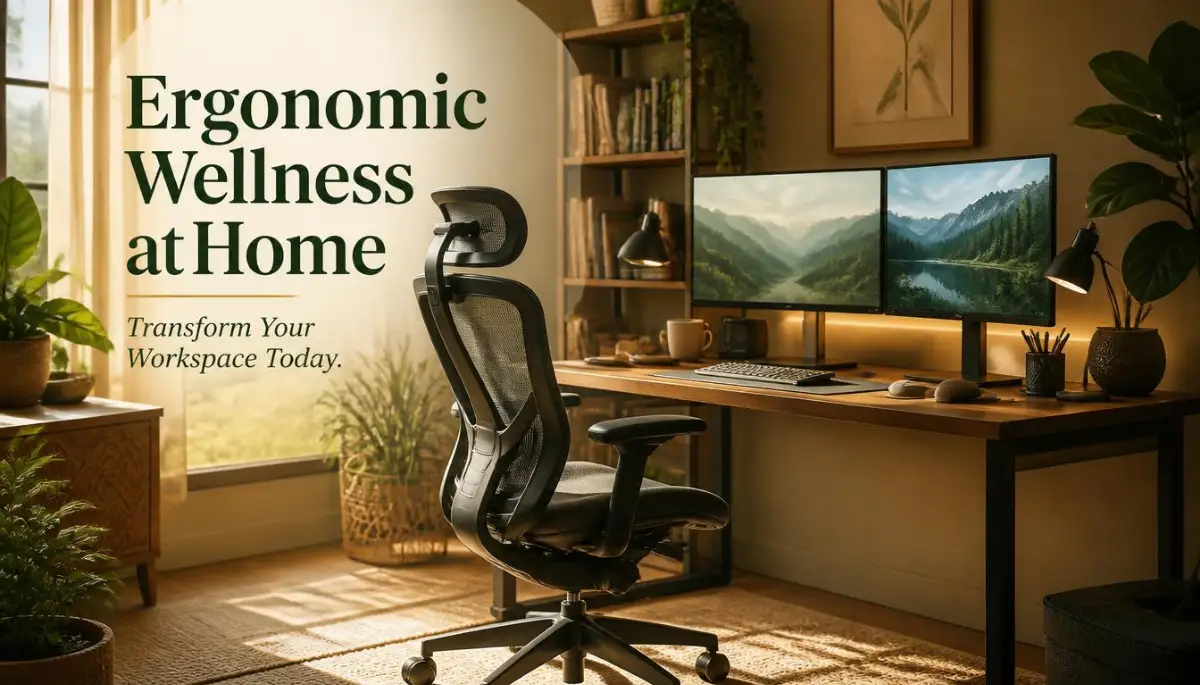
Why My "Dream" Home Office Turned Into a Complete Physical Nightmare
I still remember the exact moment my body finally gave up on my remote work setup. It was a random Tuesday afternoon, and a sharp, shooting pain radiated from my lower back straight down to my right leg.
I had spent the last eight months working from my comfortable, plush living room sofa, convinced I was living the absolute dream. My neck felt incredibly stiff, and getting out of bed the next morning felt like a monumental physical task.
I realized right then that my makeshift workspace was quietly ruining my physical health. I thought working in pajamas was a massive win, but I was completely ignoring what my body actually needed to function properly.
If you are reading this, there is a very high chance you are feeling exactly what I felt. The freedom of working from your house often comes with a hidden cost that nobody warns you about. We trade our boring corporate cubicles for dining tables, soft couches, and sometimes even our beds.
Over time, this innocent choice slowly strips away our physical comfort and our mental peace. You start waking up with a heavy head, stiff shoulders, and a constant dull ache behind your eyes.
When your body hurts every single day, your productivity naturally drops, and you might find yourself snapping at your family members because of pure exhaustion. It is incredibly frustrating to feel tired when all you did was sit in your own house.
The reality is that human bodies were simply not designed to sit frozen in front of a glowing screen for eight to ten hours straight. When you constantly fight through neck strain and wrist pain, you cannot possibly do your best work.
Your mood drops, your sleep gets disturbed, and you start dreading the moment you have to open your laptop again. But do not worry, because fixing this problem does not require thousands of dollars or a complete home renovation.
The Science of Healing Your Workspace Without Breaking the Bank
Creating a healthy environment for your body is actually about making small, highly intentional adjustments. You do not need to buy the most expensive gear on the internet to feel better.
You just need to understand how your body naturally wants to sit, stand, and move. Let us look at exactly how you can transform your daily environment to support your long-term health.
Stopping the "Tech Neck" Trap with Simple Adjustments
One of the biggest mistakes we make at home is looking down at our laptop screens. When you bend your neck forward even just a little bit, you dramatically increase the weight your spine has to support.
Think of your head like a heavy bowling ball. If you hold a bowling ball straight up above your shoulder, it feels manageable. But if you tilt your arm forward, that same ball suddenly feels incredibly heavy.
This exact same pressure is what your neck muscles are fighting every single minute you stare down at a low screen. Over time, this leads to chronic tension headaches and tight shoulder muscles.
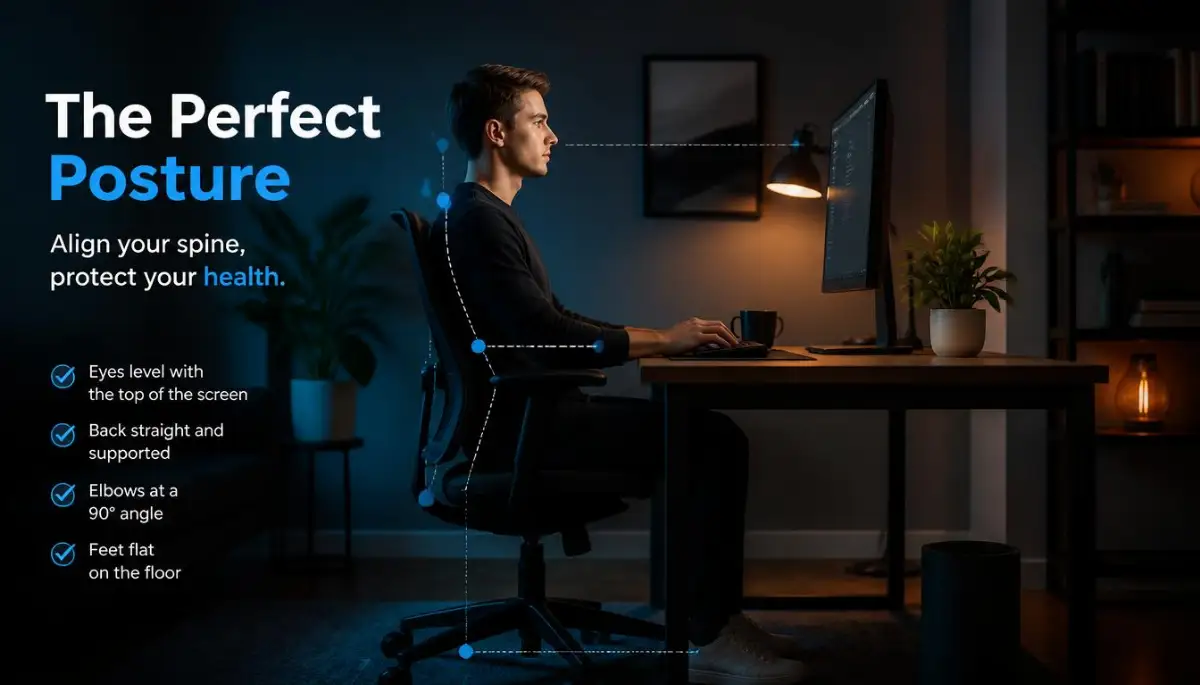
To fix this immediately, you need to raise your screen so the top third of the monitor is directly at your natural eye level. You can use a dedicated laptop stand, or simply grab a sturdy stack of heavy books from your shelf.
Pro Tip: When I first started having terrible neck pain, I didn't want to wait for an expensive laptop stand to arrive in the mail. I simply stacked three thick cookbooks on my dining table and placed my laptop on top, and the relief in my shoulders was almost instant.
If you use a laptop stand, you absolutely must connect an external keyboard and mouse to your computer. Reaching up high to type on a raised laptop will completely destroy your wrists and elbows. Keep your screen high and your typing tools low.
Why Your Seating Position is Slowly Destroying Your Lower Back
Most dining chairs are designed for eating a quick 30-minute meal, not for full-time computer work. A good chair needs to support the natural inward curve of your lower back, known as the lumbar region.
When you sit on a flat, hard chair without proper support, your lower back flattens out. This forces your upper spine to round forward, creating the classic "slouching" posture that causes so much pain.
You want to sit all the way back in your chair so your spine touches the backrest completely. If your chair does not have built-in support, simply roll up a soft bath towel and place it exactly where your lower back curves.
Your feet must rest completely flat on the floor to provide a solid foundation for your entire body. If your legs are left dangling in the air, or if you sit cross-legged in your chair, you restrict healthy blood flow.
If your desk is too high and you have to raise your chair so much that your feet cannot touch the floor, grab a footrest. A small sturdy box or a thick cushion under your feet will immediately remove the pressure from your lower back.
The Real Truth About Perfect Desk Ergonomics
There is a lot of confusing information on the internet about how to set up your home office perfectly. Let us clear up some of the most common misunderstandings right now.
Home Office Myths vs Reality
Changing how you view your setup is the first massive step toward getting your physical health back on track.
Are you tired of feeling stiff and sore after a long day of remote work? Watch this incredibly helpful visual guide to properly align your desk setup and instantly relieve body tension!
Protecting Your Hands, Wrists, and Elbows
Your arms do an incredible amount of work during a regular remote shift. Every single email, document, and chat message requires thousands of tiny finger movements.
If your keyboard is placed too high, you will naturally pull your shoulders up toward your ears, creating deep muscle knots. This is often called "T-Rex arms" because your hands are awkwardly held up near your chest.
Your elbows should always rest comfortably by your sides, bent at a relaxed 90-degree angle. Your forearms should be roughly parallel to the floor when your fingers rest on the keys.
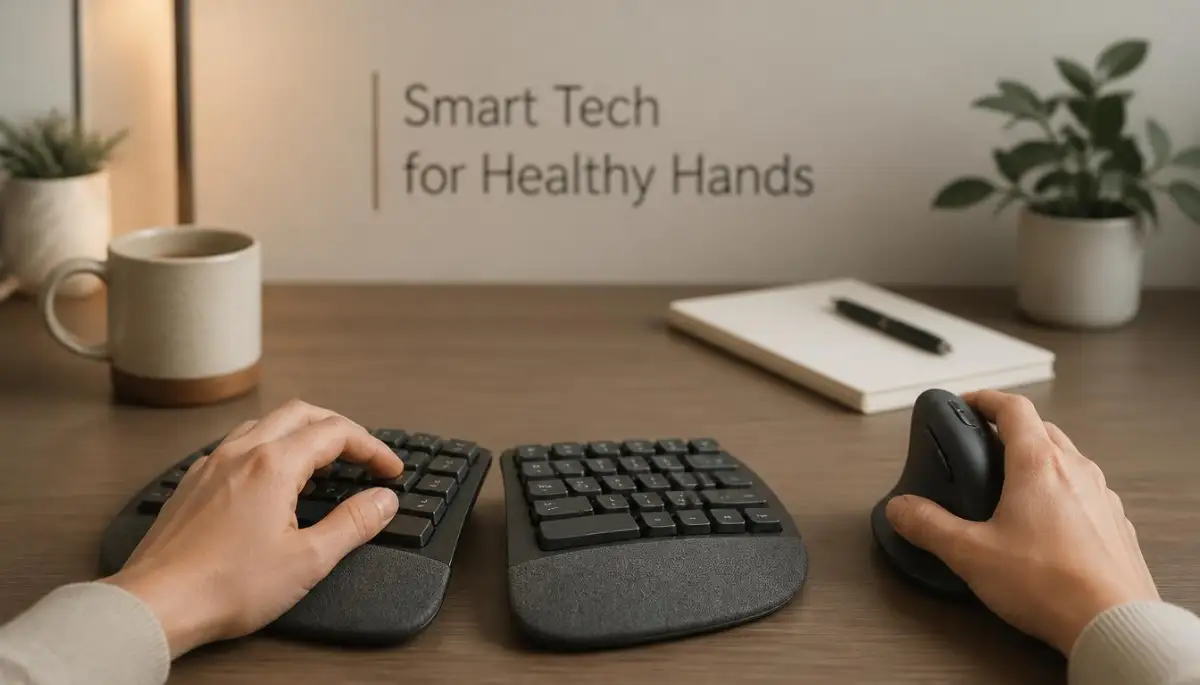
When you type, your wrists should be in a straight, neutral position. Do not bend your hands sharply upward or downward to reach the keys.
If you find yourself constantly resting your wrists on the hard edge of your desk, you are applying dangerous pressure to your nerves. This habit can eventually lead to carpal tunnel syndrome, which is incredibly painful and difficult to heal.
Consider investing in a soft wrist rest, but remember that it is meant for resting between typing sessions, not while you are actively hitting the keys. When you type, your hands should float lightly over the keyboard.
Conquering Digital Eye Strain and Poor Lighting
We often focus so much on our bones and muscles that we completely forget about our visual health. Staring at a bright screen in a dark room is basically like staring directly into a harsh flashlight.
This extreme contrast between the dark room and the bright monitor forces your eyes to work incredibly hard. You will start experiencing dry eyes, blurred vision, and deep headaches right behind your forehead.
Whenever possible, set up your desk perpendicular to a natural window. You want the natural sunlight to flow across your desk from the side.
If you face the window directly, the glaring sunlight will blind you. If the window is directly behind you, it will cast a terrible glare onto your computer screen, making it impossible to read your emails.
To keep your eyes healthy, you must practice the famous 20-20-20 rule throughout your entire workday. For every 20 minutes you spend staring at your screen, look away at an object that is at least 20 feet away from you.
Hold your focus on that distant object for exactly 20 seconds. This simple practice gives your eye muscles a much-needed chance to completely relax and reset.
Creating Micro-Movements Throughout Your Busy Schedule
The absolute best posture in the world will still cause you pain if you hold it completely still for eight hours. Human bodies are beautifully designed for constant movement, not for remaining frozen like a statue.
Your muscles need regular blood flow to receive oxygen and stay flexible. When you sit completely still, that blood flow slows down significantly, leaving your muscles stiff and prone to injury.
You need to intentionally inject small moments of physical activity into your daily routine. We call these "micro-movements," and they are absolute magic for your remote work health.
Try setting a gentle alarm on your phone to go off every 45 minutes. When it rings, do not ignore it. Stand up from your chair, reach your hands high up toward the ceiling, and take a deep breath.
Walk to your kitchen to grab a fresh glass of water, or simply do a quick stretch in your living room. These tiny breaks take less than two minutes, but they completely reset your physical posture and your mental focus.
How to Trick Your Brain into Moving More Often
When we get deeply involved in a complex work task, it is very easy to lose track of time completely. Before you know it, four hours have passed and you have not moved a single inch.
You can actually arrange your physical workspace to force yourself to move naturally. Stop keeping everything you need within easy arm's reach.
Place your water bottle on a counter across the room instead of right next to your mouse. Keep your phone charging on a shelf on the opposite side of the office.
When you need a drink of water or want to check a message, you will have to physically stand up and walk a few steps to get there. It sounds slightly annoying, but it is a brilliant way to add automatic movement to your day.
Another amazing habit is to take all of your voice calls while standing up and walking around. If you do not need to look at a shared screen during a meeting, put on your wireless headphones and pace around your room.
Walking while talking actually increases the blood flow to your brain, making you sound more energetic and focused during your important meetings. Your colleagues will hear the enthusiasm in your voice, and your body will thank you for the extra steps.
Mastering Your Daily Physical Rhythm for Long-Term Health
Fixing your chair and monitor is only the very first piece of the puzzle. To truly keep your body feeling fresh and pain-free for the long haul, you have to look beyond just your furniture.
Your physical health depends heavily on the daily habits you build around your workspace. Let us break down some highly advanced, yet incredibly simple, strategies to protect your body every single day.
One of the biggest secrets to a healthy spine is something most people completely ignore while working: deep hydration. Your spinal discs are essentially like thick, watery sponges that sit between your bones to absorb shock.
When you sit down for hours and forget to drink water, those sponges dry out and become flat. This forces your bones to rub closer together, which causes that deep, aching pain in your lower back.
You need to drink plenty of water to keep your joints properly lubricated and flexible. According to experts studying the effects of sedentary behavior on joint health, staying hydrated is one of the easiest ways to prevent midday stiffness.
The Hidden Connection Between Room Temperature and Muscle Tension
Have you ever noticed how your shoulders creep up toward your ears when you feel cold? When your home office is chilly, your body naturally tenses up to hold onto body heat.
If you sit in a tense, shrugging position for six hours a day, you will inevitably develop severe muscle knots. You must maintain a comfortable, warm temperature in your workspace to keep your muscles relaxed and loose.
If you cannot control the central heating, keep a dedicated soft sweater or a small space heater near your desk. Keeping your physical environment comfortable is a massive part of creating a better digital lifestyle at home.
Practicing Active Sitting Instead of Passive Slumping
Most of us practice "passive sitting," which means we let the chair do all the hard work while our muscles completely turn off. This causes your core muscles to become extremely weak over time.
Instead, you want to practice "active sitting" for at least a few minutes every hour. Sit at the very front edge of your chair, place your feet firmly on the ground, and hold your spine up using only your stomach muscles.
This simple practice acts like a mini-workout for your core while you answer emails. A strong core acts like a natural corset, holding your spine safely in place and preventing sudden back injuries.
The 90-90-90 Rule for Happy Joints
If you want a foolproof way to check your posture instantly, remember the 90-90-90 rule. This refers to the exact angles your major joints should naturally form when you sit at a desk.
Your hips should be bent at a 90-degree angle, your knees should form a 90-degree angle, and your elbows should rest at a 90-degree angle. If any of these angles are too sharp or too wide, your setup needs a quick adjustment.
You can easily ask a family member to take a quick photo of you from the side while you work. Looking at a picture of your own posture is often a massive wake-up call that forces you to make immediate changes.
Utilizing Natural Light for Better Posture
Believe it or not, the lighting in your room directly affects how you sit. If your room is too dark, you will subconsciously lean your head forward to read the small text on your screen.
This forward-leaning habit puts massive stress on your upper spine and neck muscles. Opening your curtains and maximizing natural light in a small space can completely stop this dangerous habit.
When your room is bright and clear, you naturally sit back in your chair because the screen is easy to read. Proper room lighting is heavily recommended by doctors for preventing digital eye strain and reducing painful tension headaches.
The Doorway Stretch: Your Best Friend
You do not need a fancy gym membership to reverse the damage of sitting all day. You just need an empty doorway inside your house.
Stand in any doorway, place your forearms flat against the doorframe on both sides, and gently step one foot forward. You will feel an amazing, deep stretch right across your chest and the front of your shoulders.
When we type, our chest muscles get super tight and literally pull our shoulders forward into a permanent slouch. Doing this simple doorway stretch twice a day opens your chest back up and allows your shoulders to drop into their natural, healthy position.
The Silent Habits Silently Wrecking Your Remote Work Body
It is incredibly easy to fall into bad physical habits when nobody is watching you work. At an actual corporate office, you might feel embarrassed to lay completely flat on a couch with your laptop on your chest.
At home, however, this feels like the ultimate luxury and freedom. Unfortunately, these innocent little comforts are exactly what cause long-term, painful damage to your body.
Let us explore some of the most dangerous physical traps hidden right inside your own home. If you can avoid these common pitfalls, you will save yourself a massive amount of physical therapy bills in the future.
Danger Zone 1: The "Cozy" Bed Setup
We have all done it at least once on a cold, rainy morning. You wake up, grab your laptop from the nightstand, and start answering messages while propped up on soft pillows.
Working from your bed is arguably the absolute worst thing you can possibly do to your spine. A soft mattress offers zero structural support for your lower back, causing your pelvis to sink deep into the cushions.
This forces your spine into a terrible "C" shape, which puts dangerous pressure on your spinal discs. Furthermore, looking down at your lap completely strains your neck and upper shoulders.
You must create a strict mental and physical boundary between your resting space and your working space. Keep your laptop out of your bed entirely; your body and your sleep quality will improve dramatically.
Danger Zone 2: The Living Room Couch Trap
The couch is the second most dangerous place for a remote worker to spend their day. Just like your mattress, a deep, plush sofa encourages your body to completely round forward.
When you sink into a soft couch, your knees usually end up sitting much higher than your hips. This awkward angle completely turns off your core muscles and forces your lower back to carry all of your upper body weight.
According to guidelines on workplace ergonomics and musculoskeletal disorders, sitting without proper lumbar support is a leading cause of chronic back conditions. If you absolutely must work from the sofa for a few minutes, place a firm pillow right behind your lower back to keep your spine straight.
Danger Zone 3: The Cluttered, Stressful Kitchen Table
Many remote workers are forced to use their kitchen or dining table as a makeshift office. The biggest issue here is not just the hard wooden chairs, but the lack of actual desk space.
When your table is covered in coffee cups, mail, and random household items, you have no room to properly rest your arms. You end up squeezing your elbows tightly against your ribs and typing in a very cramped, unnatural position.
This physical tension often leads to sharp pain running up your forearms and into your neck. You must clear a wide, clean space for your arms to move freely without hitting anything.
Creating a clean, organized physical space is very similar to designing systems that people truly enjoy using. When your environment is free of friction, your body naturally relaxes and performs much better.
Ignoring the Tiny Warning Signs
One of the biggest mistakes remote workers make is trying to be tough and ignoring minor physical discomfort. A tiny twinge in your wrist or a dull ache in your lower back is your body ringing an alarm bell.
We often push through the pain, thinking it will magically disappear by tomorrow morning. Instead, that tiny twinge slowly develops into a major, chronic injury that stops you from working entirely.
If your wrist starts hurting, stop typing immediately and gently stretch your fingers. If your back feels tight, stand up and walk around the room for five minutes.
Do not wait for the pain to become unbearable before you decide to change your posture. Listening to your body early is the smartest way to protect your long-term career.
Letting Technical Frustrations Tense Your Muscles
It might sound strange, but your emotional state directly impacts your physical posture. When your computer freezes or your internet suddenly stops working, watch what happens to your body.
Your jaw clenches, your shoulders hike up, and you lean aggressively toward the screen in pure frustration. Experiencing multiple technical issues a day keeps your body in a constant state of high physical stress.
Fixing your basic home tech is actually a major part of physical wellness. By simply stabilizing your home internet connection, you remove a massive source of daily stress, allowing your muscles to remain calm and relaxed while you work.
The Danger of the Single Screen Twist
If you use two screens, or a laptop alongside a larger monitor, pay very close attention to exactly where they are placed. Many people place their primary monitor off to one side, forcing them to twist their neck continuously for eight hours.
Your neck is not designed to hold a rotated position for long periods of time. This constant twisting leads to severe muscle imbalances, where one side of your neck becomes incredibly tight while the other side becomes weak.
You must place your most-used, primary screen directly in front of your nose. If you use both screens equally, position them directly in the center so the meeting point is right in front of you.
Quick Answers to Your Biggest Home Office Doubts
Can sitting in a bad chair actually cause permanent back damage?
Yes, consistently using an unsupportive chair can lead to long-term spinal issues like herniated discs and chronic nerve pain. While your body is incredibly resilient, ignoring terrible posture for months or years will eventually cause lasting structural damage. Investing time in proper seating is totally non-negotiable for remote workers.
Exactly how high should my monitor be for the best posture?
The very top edge of your computer screen should sit exactly at your natural eye level. When you look straight ahead, your eyes should easily read the address bar of your web browser without bending your neck. If you have to tilt your chin down even slightly, your screen is simply too low.
Are expensive standing desks really better than sitting all day?
Standing desks are wonderful tools, but standing constantly is just as bad as sitting constantly because it strains your knees and feet. The true magic happens when you alternate between sitting and standing every 45 minutes to keep your blood flowing. You definitely do not need to spend thousands; even a simple laptop riser on a kitchen counter works perfectly for standing breaks.
Why do my wrists hurt so much after working from home?
Wrist pain usually happens because your keyboard is sitting too high, forcing you to bend your hands sharply upwards while you type. It also occurs when you constantly rest the soft underside of your wrists against the sharp, hard edge of a wooden desk. Lowering your keyboard and keeping your wrists floating in a straight line will quickly relieve this painful pressure.
Is it ever okay to work on the living room couch sometimes?
Working from the couch is fine for a quick 15-minute email check or a short reading session. However, doing deep, focused work for hours on a soft sofa will ruin your pelvic alignment and strain your lower back. Always move back to a proper, supportive chair when you need to actually focus on typing or serious projects.
Your Blueprint for a Pain-Free Remote Career
You do not have to accept daily pain as the normal price of working from your house. Transforming your physical workspace is entirely within your own control, and it starts with making just one tiny adjustment today.
Remember that creating the perfect setup is a continuous, evolving journey, not a magical overnight fix. Start by raising your laptop screen, sliding a rolled-up towel behind your back, and setting a timer to simply stand up and breathe.
When you finally align your daily habits with how your body is naturally supposed to move, everything changes. You will suddenly find yourself finishing your workday with plenty of energy left to actually enjoy your evening with your family.
Your body is the single most important tool you have for your career, so please treat it with the respect and care it deserves.
My Personal Takeaway: When I finally stopped working from my soft couch and built a proper desk setup, the chronic pain in my shoulders completely vanished within a week. I realized that respecting my physical body was the absolute best investment I could ever make for my daily happiness. I truly hope you take a few minutes today to adjust your own setup—your future self will thank you endlessly for it!
Disclaimer: The information provided in this article is for educational and informational purposes only and does not constitute professional medical advice, diagnosis, or treatment. Always seek the advice of your physician, physical therapist, or other qualified health provider with any questions you may have regarding a medical condition or chronic pain. Never disregard professional medical advice or delay in seeking it because of something you have read on this website.